
Plugin directory / Developer / dsh-llm-volcengine-plans
dsh-llm-volcengine-plans
Verified · install-tested on dsh lionXiao
What it does
Volcengine Ark Agent Plan and Coding Plan providers for DeepSeek Harness
Works — verified, early-stage project
Volcengine Ark Agent Plan and Coding Plan providers for DeepSeek Harness It installs cleanly and boots without issues in our testing. It's early-stage but functional.
“Verified” means our automated CI actually ran dsh plugin add in a clean profile and it booted — nothing more. Feature descriptions and version compatibility are the author’s claims. This is not a security audit and not an endorsement of third-party code.
README
dsh-llm-volcengine-plans
A community DeepSeek Harness bundle for Volcengine Ark Agent Plan and Coding Plan.
Features
- Registers isolated
volcengine-plan/*andvolcengine-coding/*routes. - Publishes per-model context, output, modality, and thinking-level metadata.
- Applies the OpenAI compatibility switches required by the Coding Plan gateway.
- Resolves
ARK_API_KEYthrough the DSH credential service on every request, with legacy variable fallbacks. - Provides a credential form under Settings → Plugins → Plugin configuration.
- Supports validated, live-reloadable route, endpoint, header, timeout, retry, and default-reasoning configuration.
- Avoids the unsupported third-party Models editor registration that broke DSH rc.6's Add provider dialog.
Install
Install from GitHub:
dsh plugin --profile web add github:lionXiao/dsh-llm-volcengine-plans#v0.3.1
Restart DSH, then select a model such as volcengine-coding/deepseek-v4-flash. The old dsh-llm-volcengine package must not be installed alongside this bundle because both own the same routes.
The package follows DSH's documented bundle manifest and the community dsh-* naming convention without using the reserved-looking @deepseek-ai scope. Add the dsh-plugin GitHub topic when publishing its repository.
Credentials
The default credential reference is ARK_API_KEY, matching Volcengine's tool integration convention. A previously stored DSH credential under that reference is reused; the old plugin and a custom ark provider are not runtime dependencies.
After restarting DSH, open Settings → Plugins → Plugin configuration → Volcengine Plans to save, replace, or remove the key. The browser receives only its configured state; the secret is stored by DSH in $DSH_HOME/.credentials.yaml and is never returned to the form.
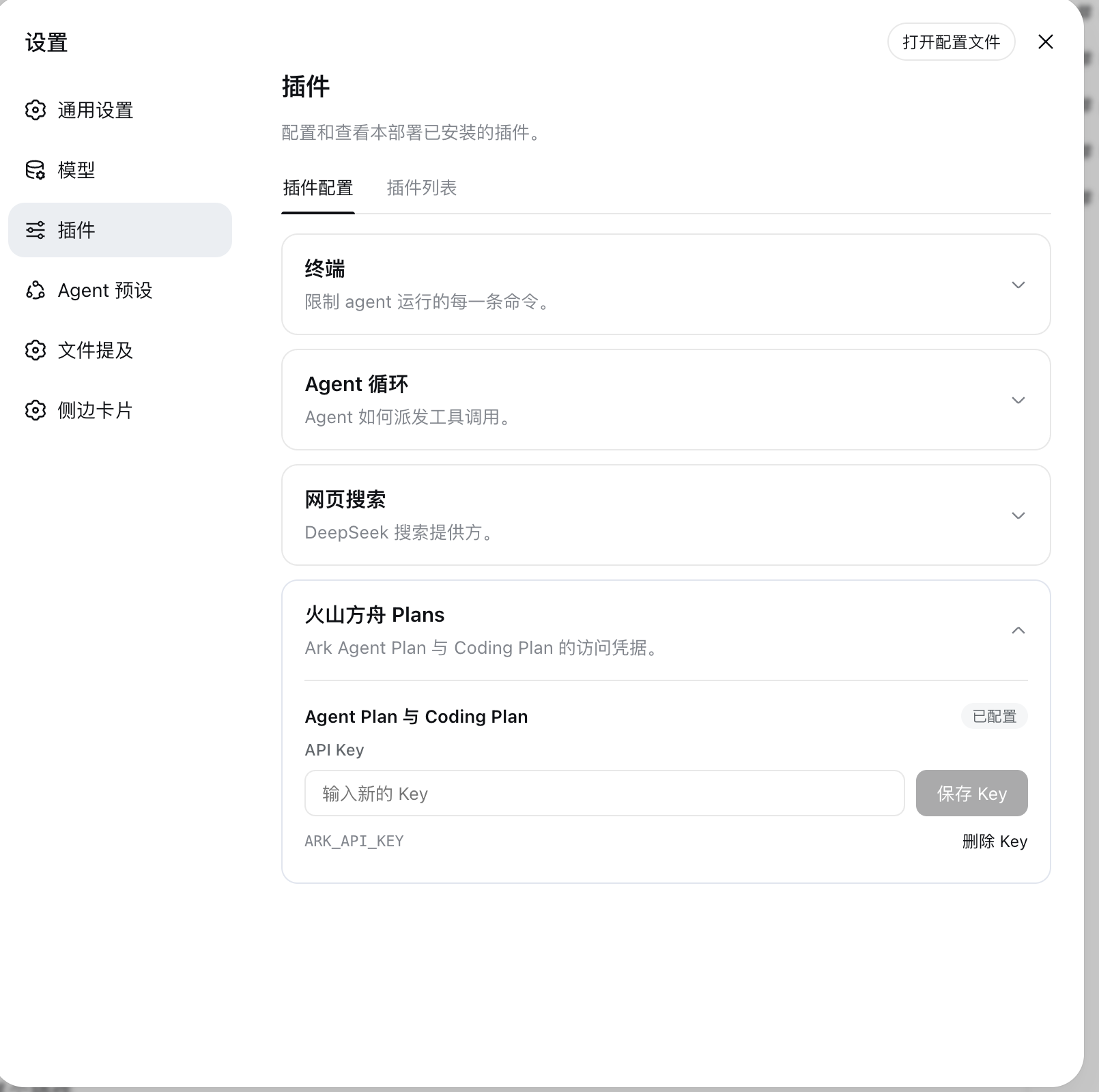
Models and Thinking Levels
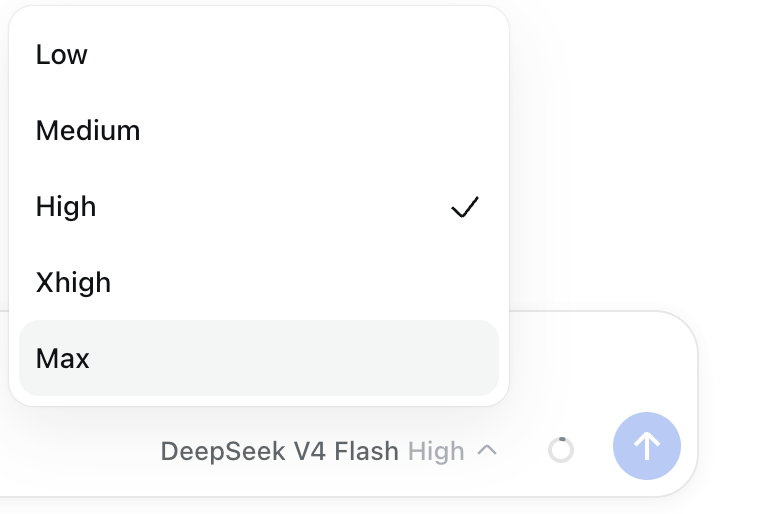
Select a volcengine-plan/* or volcengine-coding/* model in the model picker. Models whose endpoint supports it expose DSH's native thinking-level selector.
| Model picker | Thinking-level picker |
|---|---|
 |
 |
Never commit a real key. DSH can also read it from the launching environment or $DSH_HOME/.env:
ARK_API_KEY=your_key
Configuration
See cordis.patch.yml for defaults and README.zh.md for the complete configuration example and DSH rc.6 UI limitation.
Verification
npm test
npm run pack:check
dsh --profile web --dump-config
Real endpoint verification requires a user-supplied Volcengine key and is intentionally excluded from automated tests.
License
MIT
Install
Install the catalog once, then DeepSeek Harness can find and install any plugin from this site automatically:
dsh plugin add dshbase-catalogThen say "install dsh-llm-volcengine-plans for me" — your agent finds it in the directory and installs it. Docs: dshbase-catalog · verified packs.
This plugin is GitHub source (not published to npm) — install it straight from the repo:
Web profile:
dsh plugin --profile web add github:lionXiao/dsh-llm-volcengine-plansHeadless (CLI) profile:
dsh plugin --profile headless add github:lionXiao/dsh-llm-volcengine-plansTest report
Verified: L1 install + L2 load + L3 runtime from GitHub source on dsh 0.1.0-rc.6.
Share this badge
Drop this badge into your README — it links back here and updates automatically when our test status changes:

[](https://dshbase.com/plugins/dsh-llm-volcengine-plans/)<a href="https://dshbase.com/plugins/dsh-llm-volcengine-plans/"><img src="https://dshbase.com/badges/dsh-llm-volcengine-plans.svg" alt="dshbase install-tested"></a>