
Plugin directory / UI & Skins / dsh-native-tui
dsh-native-tui
Verified · install-tested on dsh hanlinlibham
What it does
Classic, dependable DeepSeek Harness TUI with session, provider, and model management.
Works — verified, early-stage project
Classic, dependable DeepSeek Harness TUI with session, provider, and model management. It installs cleanly and boots without issues in our testing. It's early-stage but functional.
“Verified” means our automated CI actually ran dsh plugin add in a clean profile and it booted — nothing more. Feature descriptions and version compatibility are the author’s claims. This is not a security audit and not an endorsement of third-party code.
README
dsh-native-tui
经典、稳健的 DeepSeek Harness 终端界面。
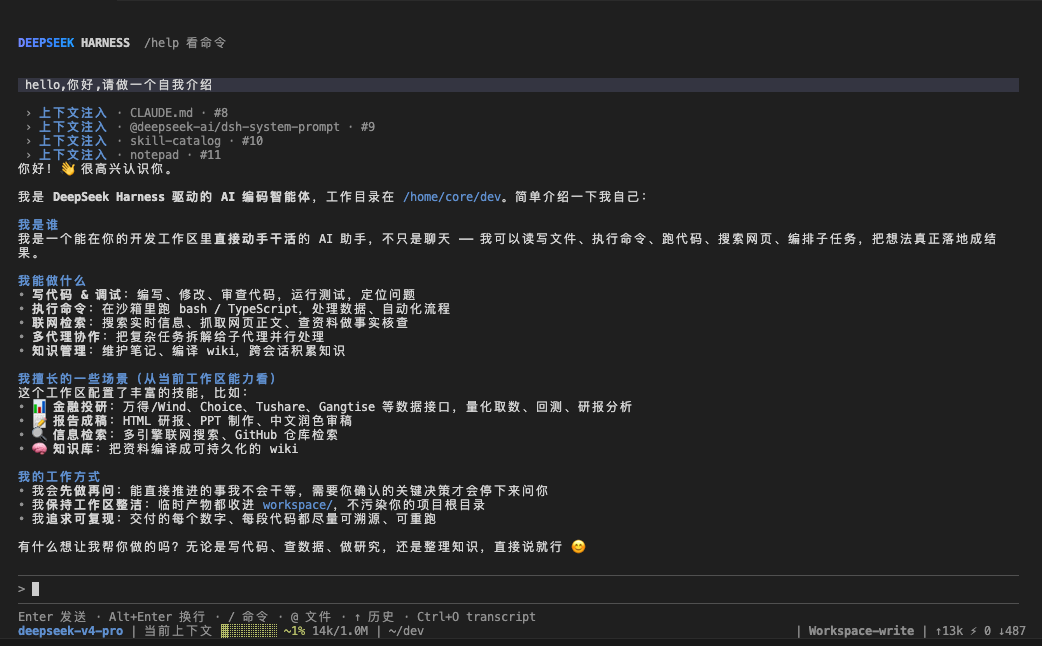
dsh-native-tui 是一个社区 TUI 插件。它把会话、供应商和模型管理放进终端,同时保留 DeepSeek Harness 的工具调用、子代理、后台任务、人工确认和上下文压缩能力。
功能
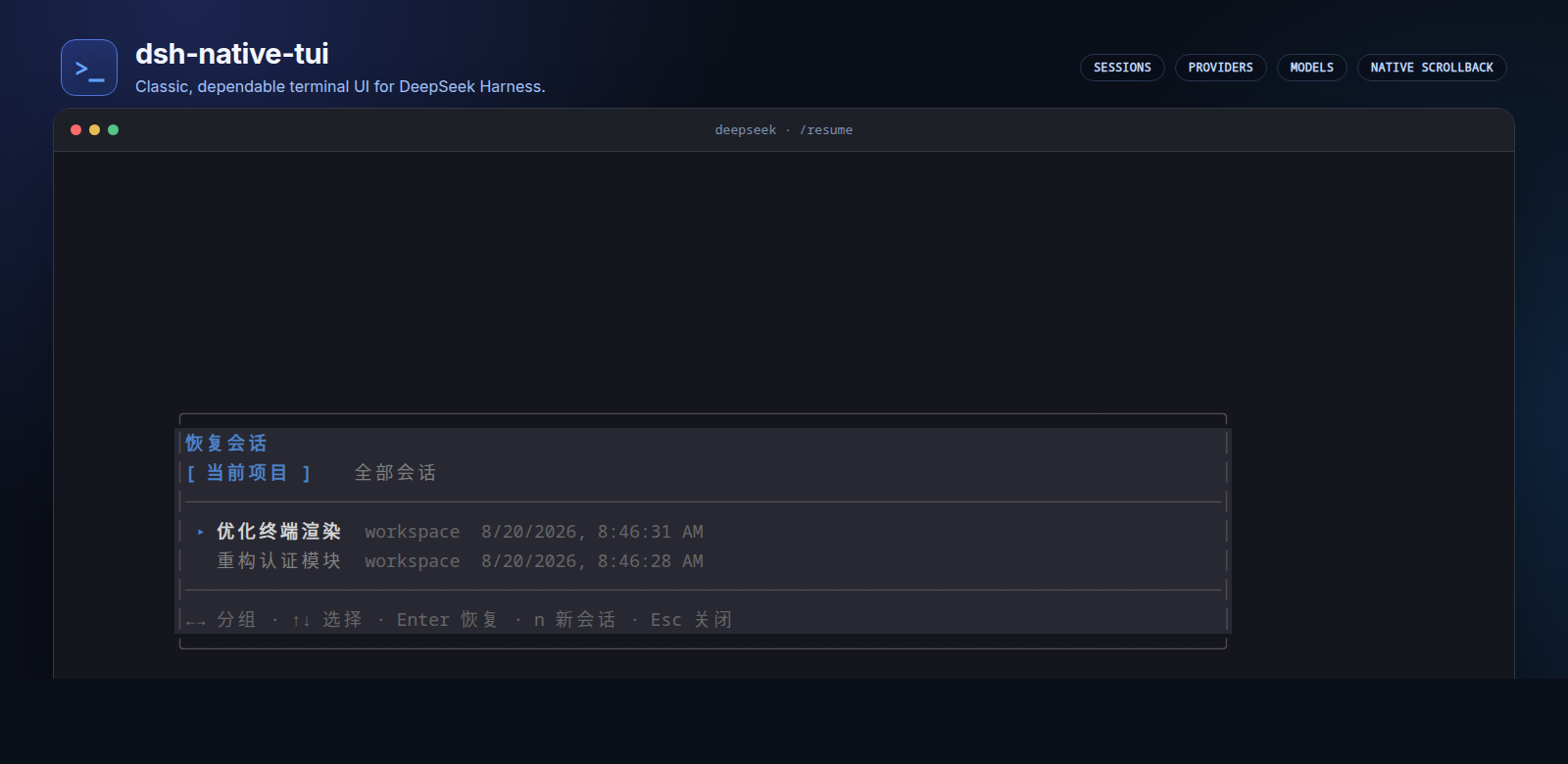
会话管理
- 新建会话,或继续当前项目最近一次会话。
- 从列表选择历史会话,也可按 session ID 精确恢复。
- 重命名会话;所有消息持久化,恢复后按原事件顺序重放。
- 当前项目与全部会话分组展示,全程键盘操作。
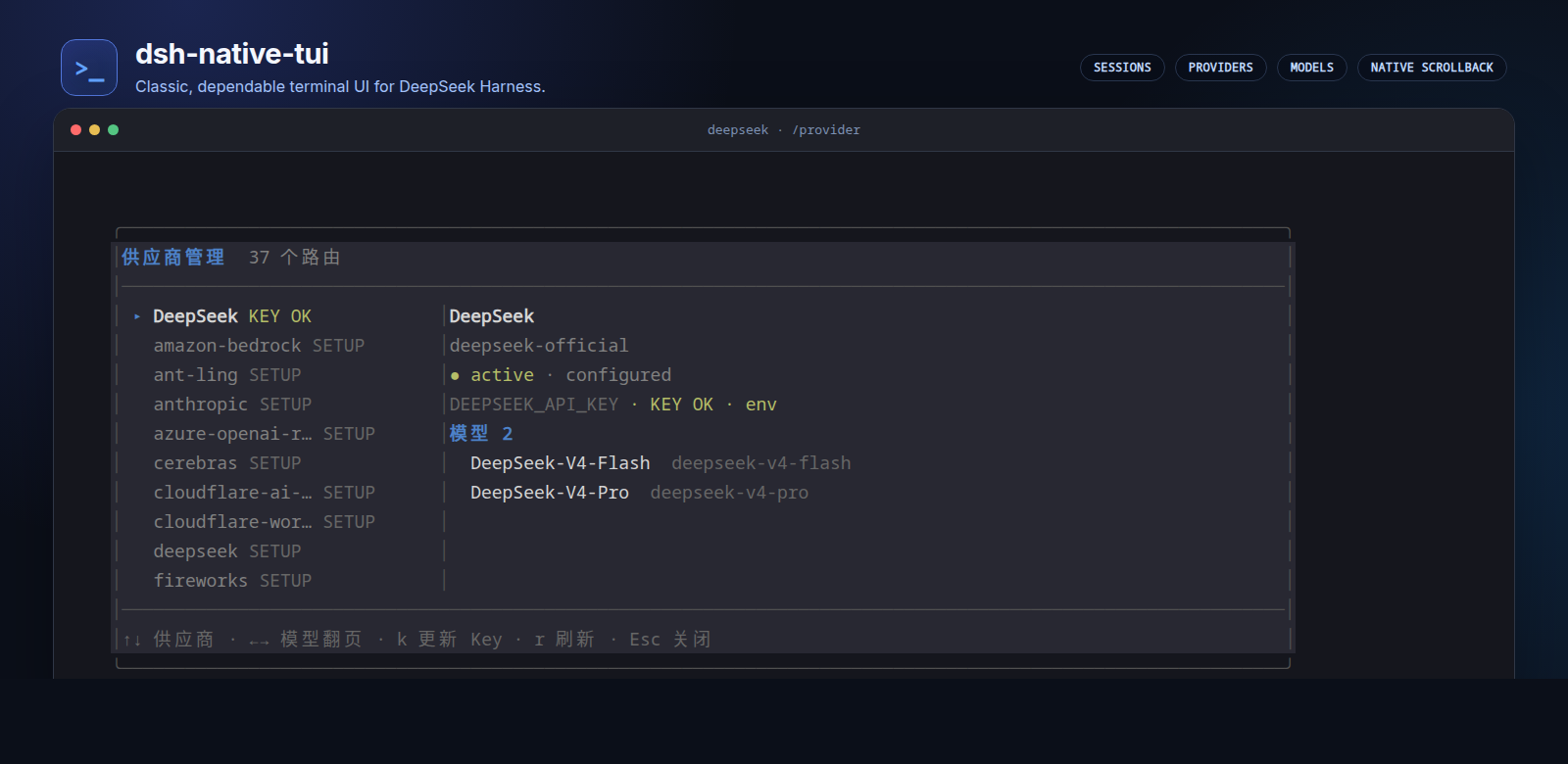
供应商管理
/provider查看所有供应商及其 active、configured、dormant 状态。- 查看凭据来源、模型目录和当前路由。
- 在 TUI 内遮罩录入 API Key;密钥写入 Harness 凭据服务,不写入普通设置。
- 支持手动刷新,并响应供应商、设置和凭据变更。
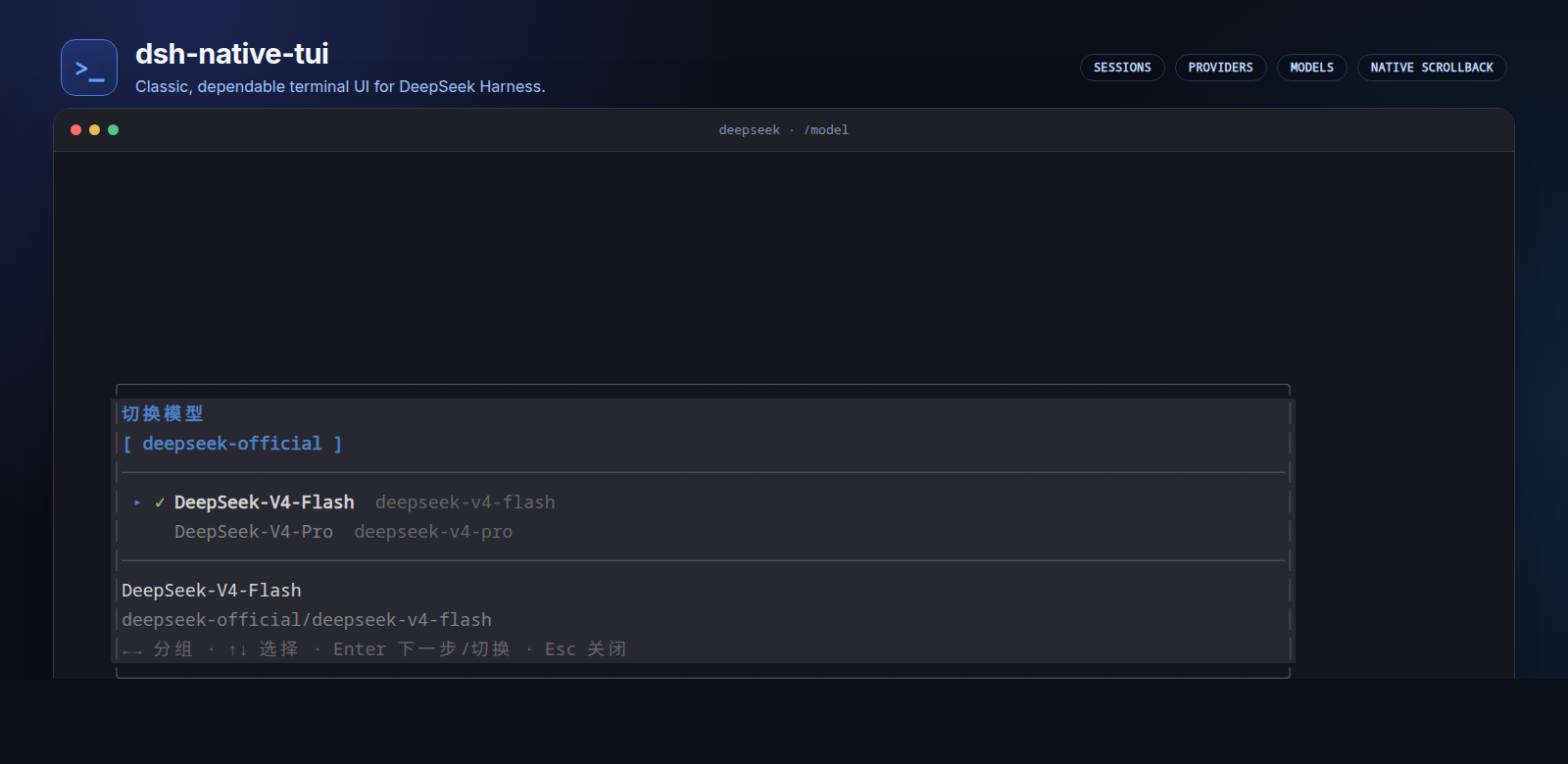
模型管理
/model按供应商分组浏览模型。- 切换模型并选择 reasoning effort。
- 选择结果写入默认设置,后续请求与新会话继续使用。
终端交互
- 官方 DeepSeek Harness 渐变字标,紧凑的无边框对话布局。
- 工具调用渐进展开,支持递归工具树、diff、错误和完整结果查看。
- 全屏模式支持
PgUp/PgDn;内联模式使用终端原生滚动、选择和复制。 dark、light、mono三套配色。/命令补全、@路径补全、输入历史和!本机命令。
Harness 能力
- Code Mode、Workflow、子代理和 Jobs。
- 工具审批、批量提问、计划审阅等 HITL 交互。
- token、上下文占用和压缩状态。
- MCP 工具状态、附件列表和工作区文本预览。
界面
会话管理
供应商管理
模型管理
安装
需要 Node.js 22+ 和 npm。
git clone https://github.com/hanlinlibham/dsh-native-tui.git
cd dsh-native-tui
./install.sh
deepseek .
安装器会固定使用 @deepseek-ai/dsh@0.1.0-rc.6,创建 abletui profile,并把启动器安装到 ~/.local/bin/deepseek。重复运行 ./install.sh 即可更新;已有配置不会被覆盖。
首次使用时,运行 /provider,选择 DeepSeek 后按 k 录入 API Key。也可以编辑:
$EDITOR ~/.config/ablemind/config.env
如果 ~/.local/bin/deepseek 已被其他程序占用,安装器会停止,不会覆盖原文件。官方 dsh 命令保持不变。
启动
| 命令 | 作用 |
|---|---|
deepseek . |
在当前目录新建会话 |
deepseek --continue . |
继续当前项目最近一次会话 |
deepseek --resume . |
打开历史会话选择器 |
deepseek --resume=SESSION_ID . |
精确恢复指定会话 |
插件与 Web 管理仍使用官方命令:dsh plugin ...、dsh web ...、dsh --profile NAME ...。
常用命令
| 命令 | 作用 |
|---|---|
/new、/clear |
新建或清空当前会话 |
/resume、/rename |
恢复或重命名会话 |
/provider |
管理供应商和凭据 |
/model |
切换模型与推理强度 |
/permission |
切换权限预设 |
/context |
查看 token 与上下文明细 |
/agents、/jobs |
查看子代理和后台任务 |
/tools、/tool、/open |
查看工具、调用树和完整结果 |
/theme |
切换并保存配色 |
/mcp |
查看已加载的 MCP 服务和工具 |
| 按键 | 作用 |
|---|---|
Enter |
发送消息或确认选择 |
Alt+Enter |
输入换行 |
Tab、↑、↓ |
补全与历史选择 |
Shift+Tab |
打开权限选择器 |
Esc |
关闭弹窗或打断当前轮次 |
PgUp、PgDn |
全屏模式翻阅历史 |
Ctrl+L |
清屏 |
Ctrl+C、Ctrl+D |
打断或退出 |
开发
npm ci
npm run check
dsh plugin --profile abletui add "$PWD"
npm run check 会依次执行 TypeScript 类型检查、测试和构建。
项目说明
这是社区项目,不是 DeepSeek 官方发行版,也不代表 DeepSeek。插件通过公开的 Harness service、event 和 presenter 接口运行,不修改 Harness 内核。
启动字标沿用上游 DeepSeek Harness TUI 曾发布的官方终端字标,实现依据为上游提交 d04ec5a。上游与本项目均采用 MIT 许可证。
License
Install
Install the catalog once, then DeepSeek Harness can find and install any plugin from this site automatically:
dsh plugin add dshbase-catalogThen say "install dsh-native-tui for me" — your agent finds it in the directory and installs it. Docs: dshbase-catalog · verified packs.
This plugin is GitHub source (not published to npm) — install it straight from the repo:
Web profile:
dsh plugin --profile web add github:hanlinlibham/dsh-native-tuiHeadless (CLI) profile:
dsh plugin --profile headless add github:hanlinlibham/dsh-native-tuiTest report
Verified: L1 install + L2 load + L3 runtime from GitHub source on dsh 0.1.0-rc.6.
Share this badge
Drop this badge into your README — it links back here and updates automatically when our test status changes:

[](https://dshbase.com/plugins/dsh-native-tui/)<a href="https://dshbase.com/plugins/dsh-native-tui/"><img src="https://dshbase.com/badges/dsh-native-tui.svg" alt="dshbase install-tested"></a>