
Plugin directory / UI & Skins / dsh-rick
dsh-rick
Verified · install-tested on dsh xxxrickymorty-dev
What it does
C-137 skin for DeepSeek Harness: 28 posters, custom scenes, and overlay pets (Rick, Morty, portal gun).
Works — verified, early-stage project
C-137 skin for DeepSeek Harness: 28 posters, custom scenes, and overlay pets (Rick, Morty, portal gun). It installs cleanly and boots without issues in our testing. It's early-stage but functional.
“Verified” means our automated CI actually ran dsh plugin add in a clean profile and it booted — nothing more. Feature descriptions and version compatibility are the author’s claims. This is not a security audit and not an endorsement of third-party code.
README
dsh-rick
English | 中文
C-137 skin for DeepSeek Harness: 28 catalog posters, user-added scenes, neon chrome, and overlay pets (Rick, Morty, portal gun).
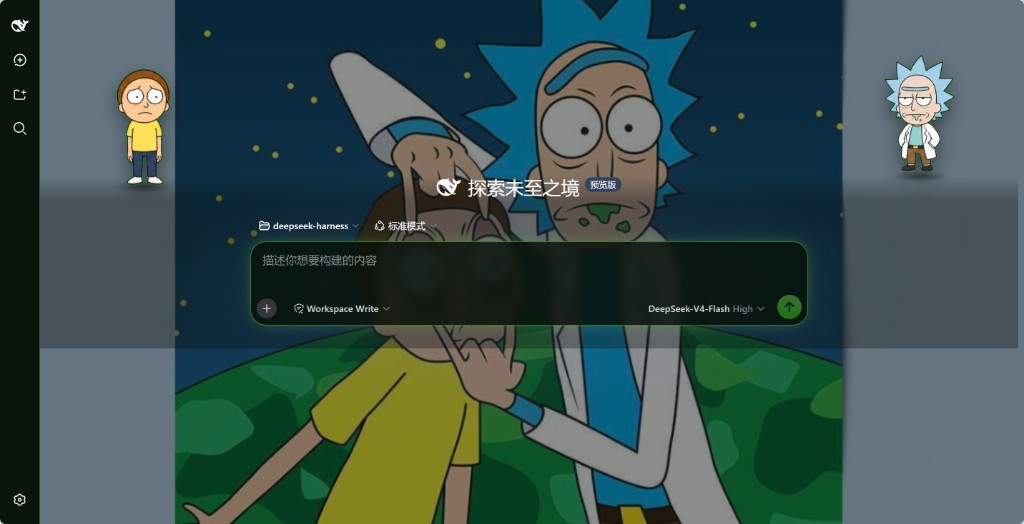
Installable with dsh plugin add (dsh.bundle + dsh.client). Listed format follows awesome-dsh-plugin.
Install
dsh plugin --profile web add github:xxxrickymorty-dev/dsh-rick
dsh web
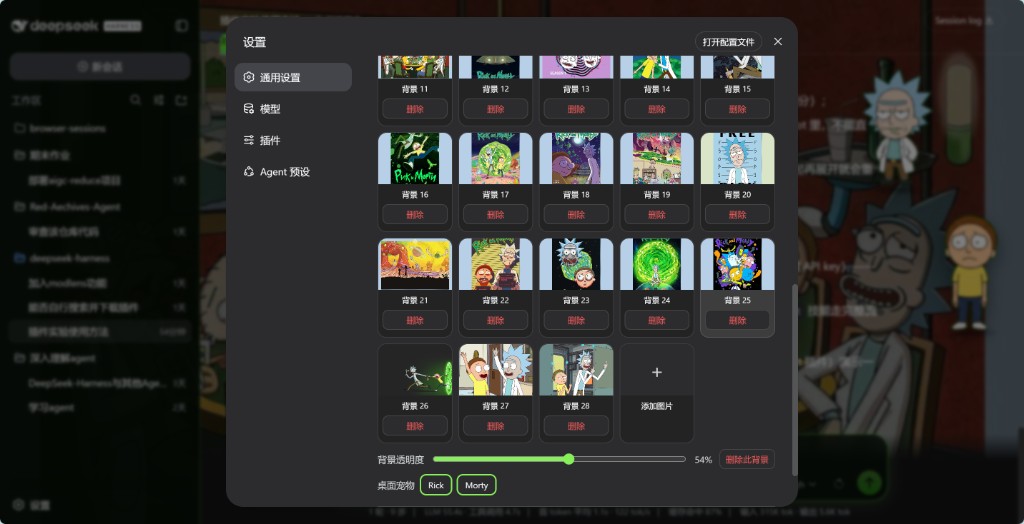
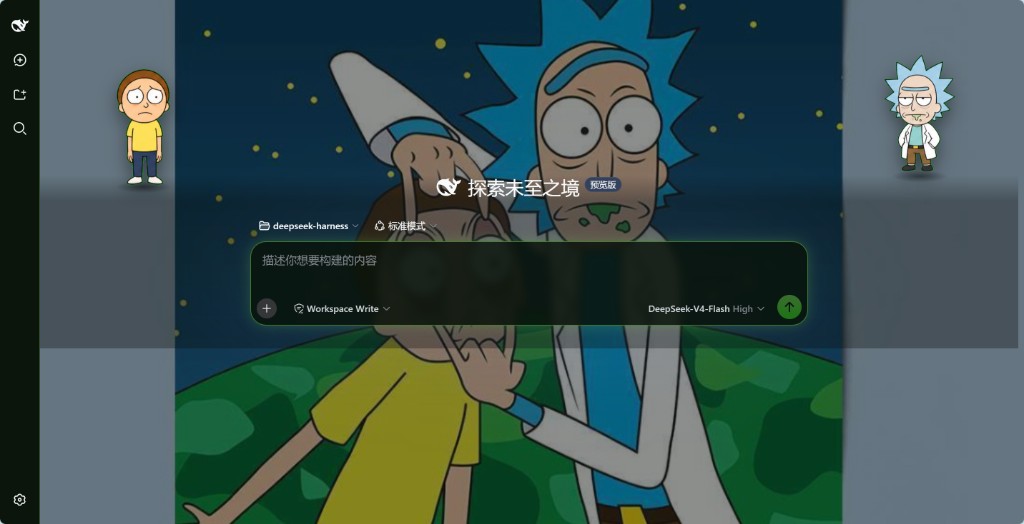
Then Settings → General → Skin. Default has no Remove control; every poster and custom card does. Pick a poster to turn C-137 on (pins dark without changing Appearance). Click Rick for catchphrases; Portal gun draws the gun, the next Rick click fires the portal. Drag Rick or Morty onto the portal to pocket them. With both inside, click to summon Rick, click again for Morty, then click to shrink the portal closed.
Do not install this plugin on a DeepSeek Harness build that already vendors C-137 inside @deepseek-ai/dsh-client-ui-theme. Two Skin rows would appear and both would write data-dsh-skin.
Uninstall:
dsh plugin --profile web remove dsh-rick
Screenshots
Skin row: catalog posters and opacity.
Overlay pets on the home screen.
Catchphrases stay English in every locale.
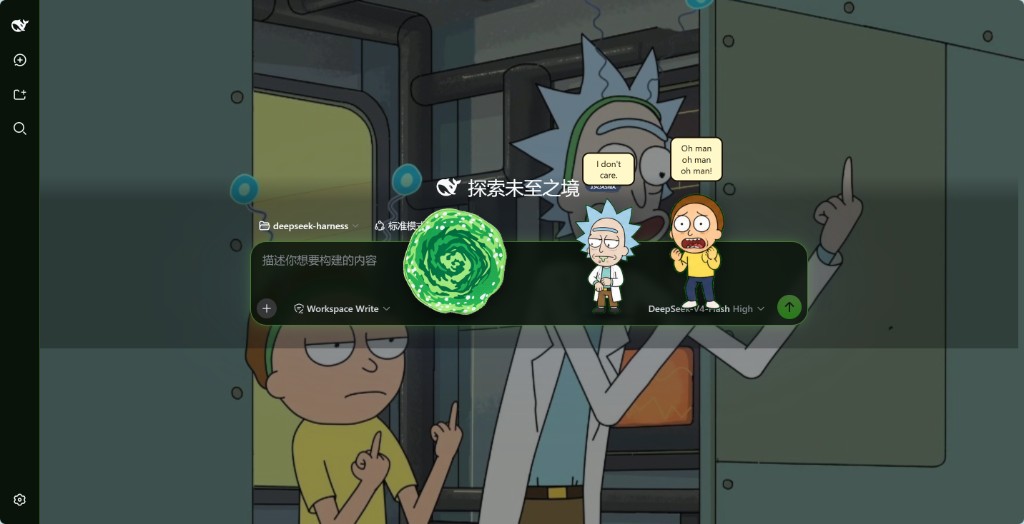
Portal gun, enlarge, and wave.
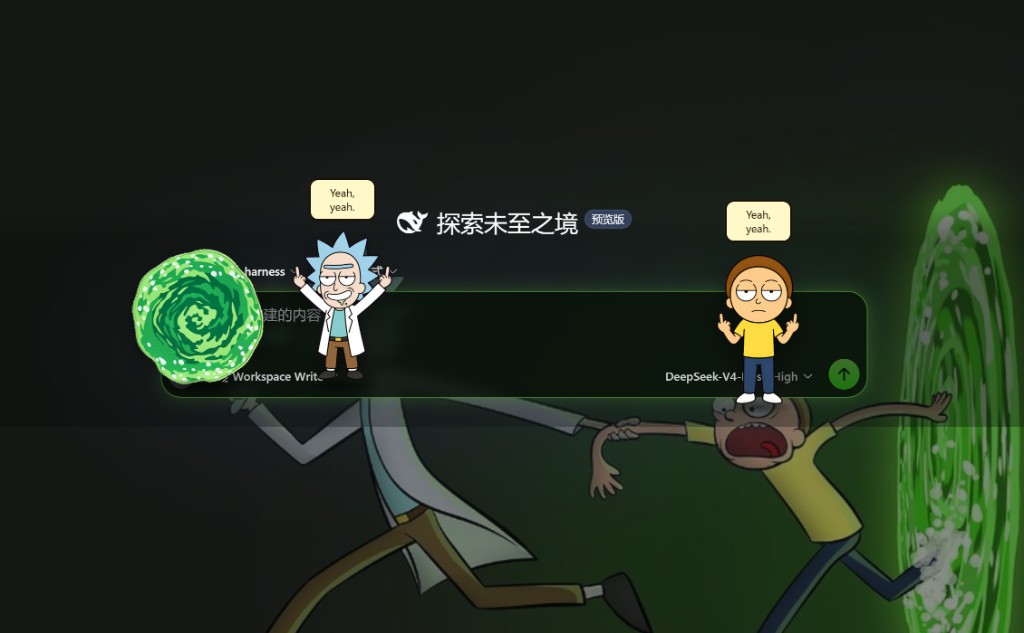
Pickle Rick.
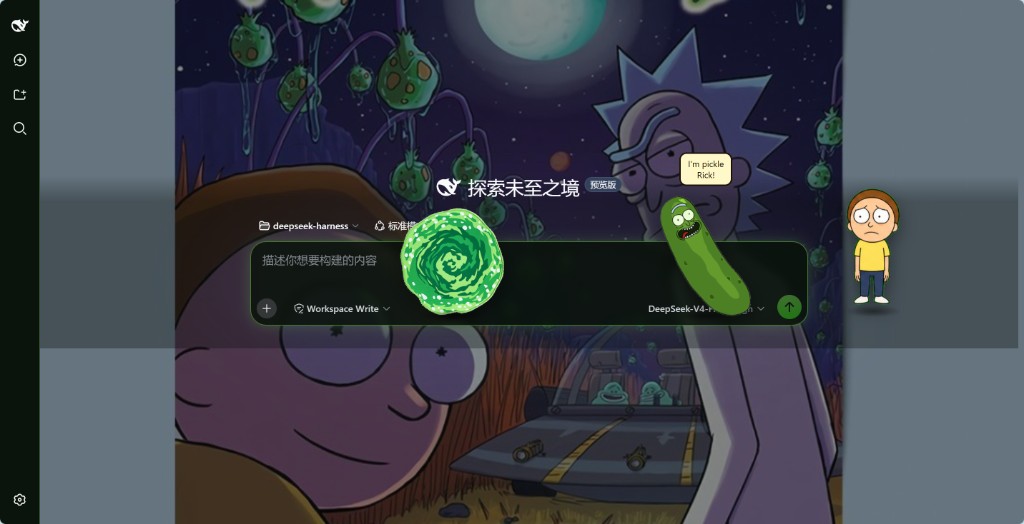
Portal plus Pickle Rick.

Rick's wave line.
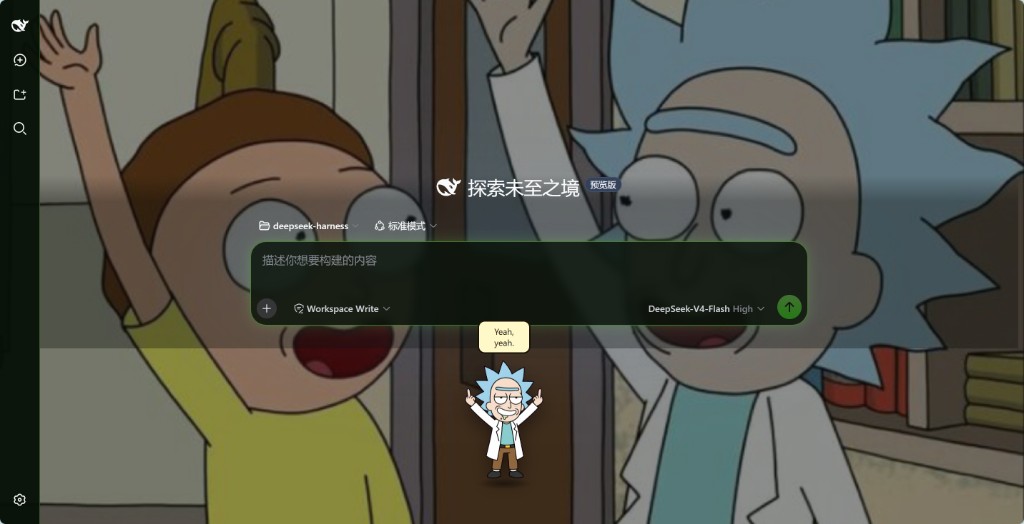
A catalog poster with both pets on stage.
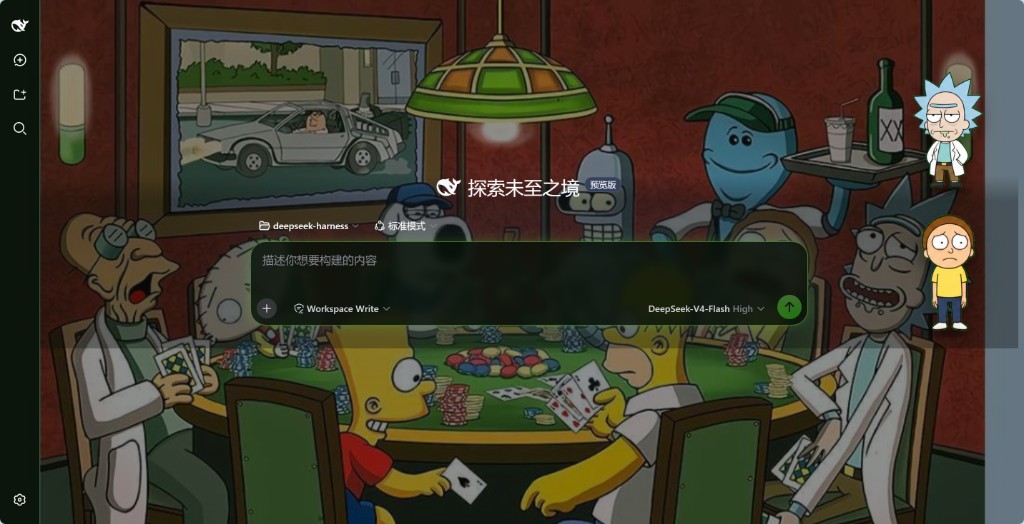
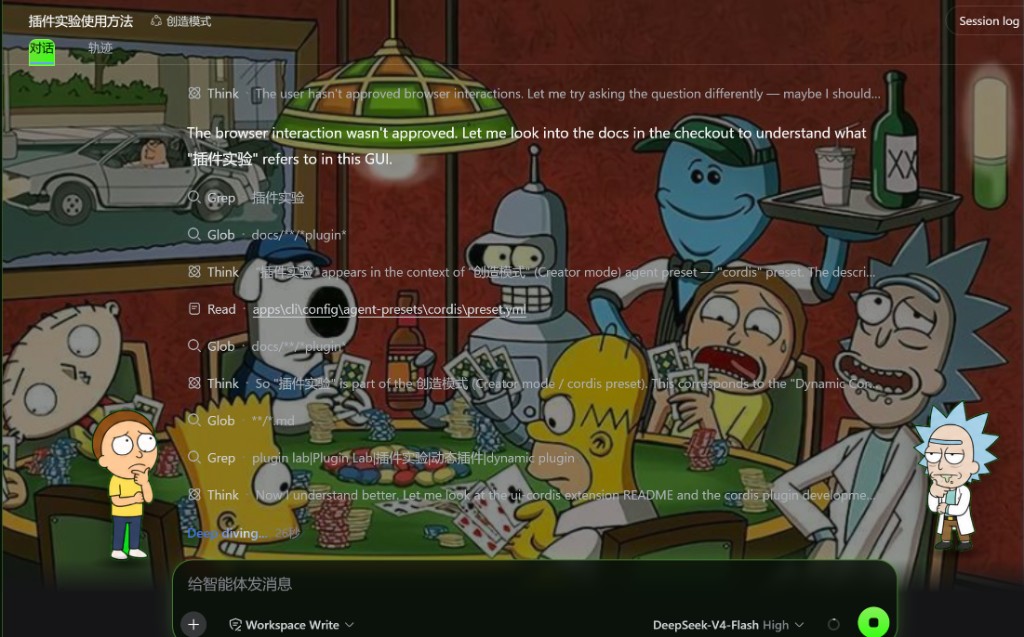
Think frames while a session is running.
What it adds
- Skin row after Appearance: Default, custom scenes (max 12), catalog
01–28, Add image - Durable namespace
c137in$DSH_HOME/settings.yaml(skin,skinBackground,skinBgOpacity,customScenes,hiddenCatalog) - Overlay pets on
shell.overlaywhile the skin isc137(cap 4) - Host route
/dsh-c137/*for posters, pet frames, andc137.css
Does not change agent-loop or the session log. Catchphrases stay English in every locale.
Layout
index.js              # Host: settings schema + static assets
cordis.patch.yml      # dsh.bundle patch (required for `dsh plugin add`)
lib/client.js         # Prebuilt browser factory (`window.__ModuleLoader__`)
assets/               # c137.css, scenes/bg-NN.png, pets/*.png
src/client/           # Skin row, pets, runtime (rebuild with `npm run build`)
docs/                 # README preview and screenshots
Rebuild the client bundle
npm install
npm run build
Disclaimer
Rick and Morty characters and likenesses are owned by their respective rights holders. This plugin is a fan skin, not an official DeepSeek or Adult Swim product.
Install
Install the catalog once, then DeepSeek Harness can find and install any plugin from this site automatically:
dsh plugin add dshbase-catalogThen say "install dsh-rick for me" — your agent finds it in the directory and installs it. Docs: dshbase-catalog · verified packs.
This plugin is GitHub source (not published to npm) — install it straight from the repo:
Web profile:
dsh plugin --profile web add github:xxxrickymorty-dev/dsh-rickHeadless (CLI) profile:
dsh plugin --profile headless add github:xxxrickymorty-dev/dsh-rickTest report
Verified: L1 install + L2 load + L3 runtime from GitHub source on dsh 0.1.0-rc.6.
Share this badge
Drop this badge into your README — it links back here and updates automatically when our test status changes:

[](https://dshbase.com/plugins/dsh-rick/)<a href="https://dshbase.com/plugins/dsh-rick/"><img src="https://dshbase.com/badges/dsh-rick.svg" alt="dshbase install-tested"></a>