
Plugin directory / UI & Skins / dsh-synapse
dsh-synapse
Verified · install-tested on dsh liangmianya
What it does
A visual, non-linear conversation workspace plugin for DeepSeek Harness, turning sessions into a browsable, draggable, zoomable map.
Recommended — verified working and popular
A visual, non-linear conversation workspace plugin for DeepSeek Harness, turning sessions into a browsable, draggable, zoomable map. It installs cleanly and boots without issues in our testing. With 500+ stars it's a community-endorsed, low-risk pick.
“Verified” means our automated CI actually ran dsh plugin add in a clean profile and it booted — nothing more. Feature descriptions and version compatibility are the author’s claims. This is not a security audit and not an endorsement of third-party code.
README
dsh-synapse
DeepSeek Harness 的可视化对话工作台



中文指南 · English guide · npm · 开发与发布
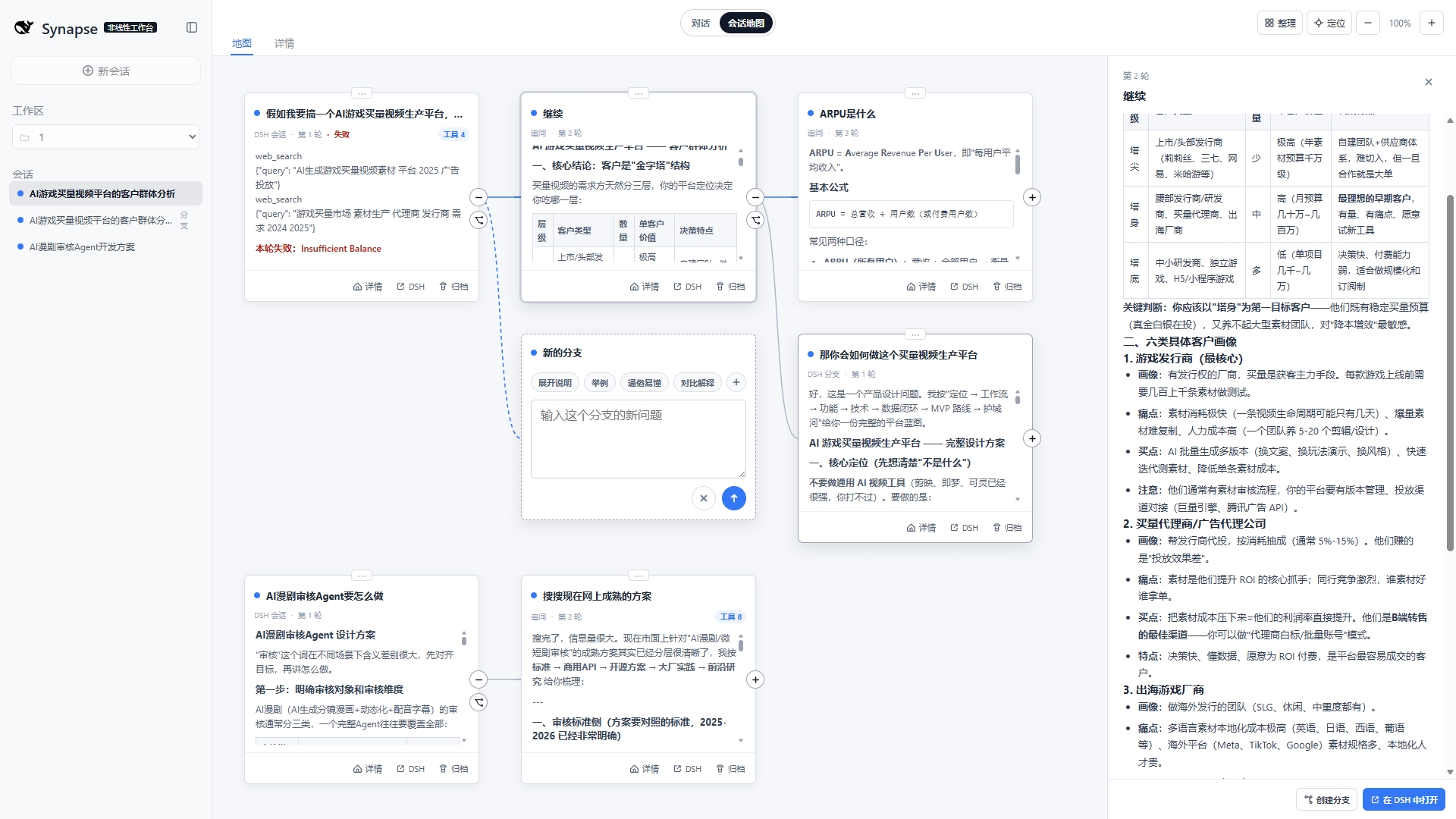
把同一工作区中的会话、追问和分支组织成一张可浏览、可拖拽、可缩放的地图,同时保留 DSH 原生会话作为唯一事实来源。
快速安装
需要 DeepSeek Harness >= 0.1.7-rc.2(本插件依赖该版本的 Host 会话与 Client 服务接口)、Node.js >= 22.19.0,以及 web profile。
兼容性提示: 本版本包含破坏性变更,仅支持 DeepSeek Harness
>= 0.1.7-rc.2,不再兼容更早版本。
corepack pnpm dsh plugin --profile web add dsh-synapse
corepack pnpm dsh web
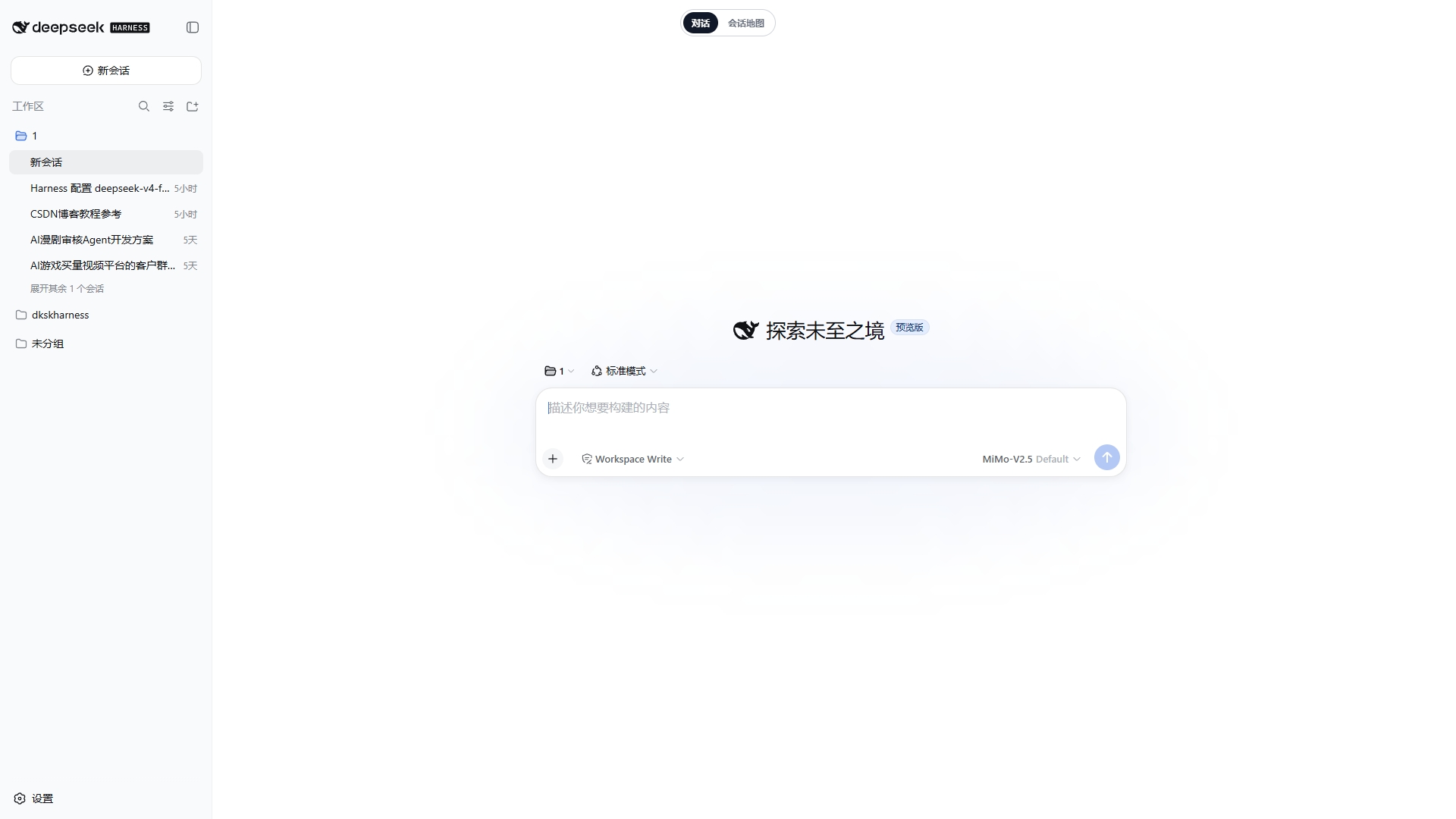
启动后,在 DSH 顶部切换到 会话地图。Synapse 复用现有的 DSH Web Server,不会启动第二个应用或代理系统。
它解决什么问题
| 能力 | 说明 |
|---|---|
| 对话地图 | 把连续追问、分支和不同会话放到同一张可操作的画布上。 |
| 保留真实分支 | 按 DSH 原生 fork 关系连接卡片,不制造另一套会话历史。 |
| 追问更顺手 | 选中回答中的文字可直接带入新的追问;常用补充词可编辑。 |
| 双向同步 | 在地图或 DSH 原生对话中切换会话,当前上下文保持一致。 |
从原生对话进入
在 DSH 原生对话中,通过顶部的 会话地图 进入 Synapse;返回 对话 后,仍是同一个 DSH 会话。
文档
| 文档 | 内容 |
|---|---|
| 中文指南 | 安装、启动、配置、使用、卸载和限制。 |
| English guide | Installation, configuration, usage, cleanup, and limitations. |
| 开发与发布 | 本地验证、GitHub Actions、版本标签和 npm 发布。 |
| 架构与边界 | 会话归属、投影、数据存储和模型影响。 |
与 DSH 的边界
- DSH session log 保存真实会话内容;Synapse 只投影已提交的事件。
- Synapse 的画布布局数据保存在
$DSH_HOME/synapse/,删除它不会删除 DSH 会话。 - 插件不修改 prompt、模型请求、工具 schema、provider 路由或可复用 KV-cache 前缀。
- 内置 patch 仅支持 DSH 的
webprofile。
开发
corepack pnpm install --frozen-lockfile
corepack pnpm run build
corepack pnpm test
完整的贡献、CI/CD 和发布流程见开发与发布指南。
许可证
Install
Install the catalog once, then DeepSeek Harness can find and install any plugin from this site automatically:
dsh plugin add dshbase-catalogThen say "install dsh-synapse for me" — your agent finds it in the directory and installs it. Docs: dshbase-catalog · verified packs.
This plugin is GitHub source (not published to npm) — install it straight from the repo:
Web profile:
dsh plugin --profile web add github:liangmianya/dsh-synapseHeadless (CLI) profile:
dsh plugin --profile headless add github:liangmianya/dsh-synapseTest report
Verified: L1 install + L2 load + L3 runtime from GitHub source on dsh 0.1.0-rc.6.
Share this badge
Drop this badge into your README — it links back here and updates automatically when our test status changes:

[](https://dshbase.com/plugins/dsh-synapse/)<a href="https://dshbase.com/plugins/dsh-synapse/"><img src="https://dshbase.com/badges/dsh-synapse.svg" alt="dshbase install-tested"></a>