
Plugin directory / Developer / dsh-workspace-dock
dsh-workspace-dock
Verified · install-tested on dsh qschen86
What it does
DSH web plugin: workspace dock rail left of the sidebar
Works — verified, early-stage project
DSH web plugin: workspace dock rail left of the sidebar It installs cleanly and boots without issues in our testing. It's early-stage but functional.
“Verified” means our automated CI actually ran dsh plugin add in a clean profile and it booted — nothing more. Feature descriptions and version compatibility are the author’s claims. This is not a security audit and not an endorsement of third-party code.
README
dsh-workspace-dock
DeepSeek Harness Web 插件:在侧边栏左侧渲染工作区(workspace)Dock 栏。
功能图示
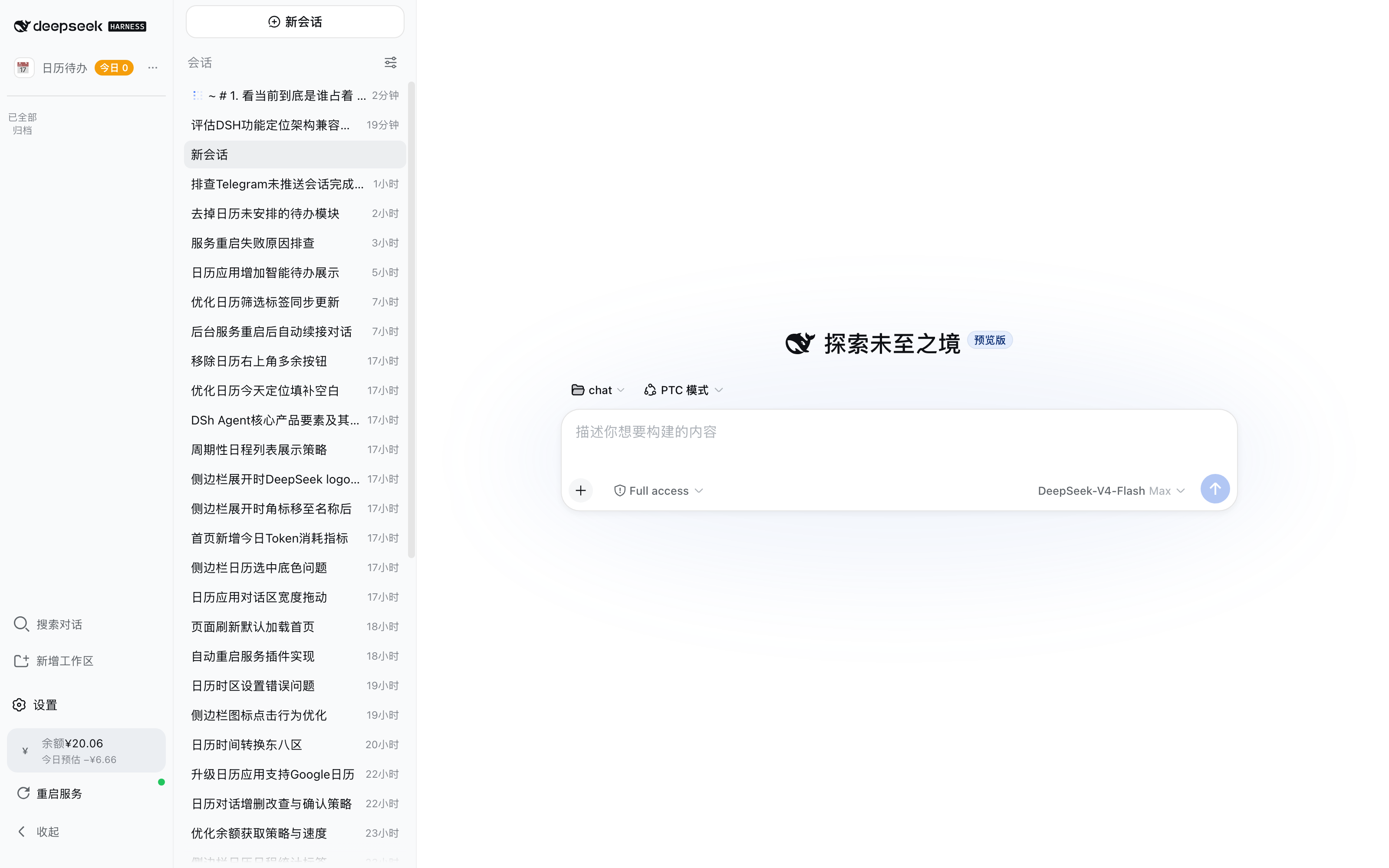
默认态(窄栏):每个工作区一个彩色字母图标;运行中会话显示数字徽章、待关注会话显示圆点徽章。
(下图中 chat 工作区正在运行 1 个会话,徽章实时反映。)
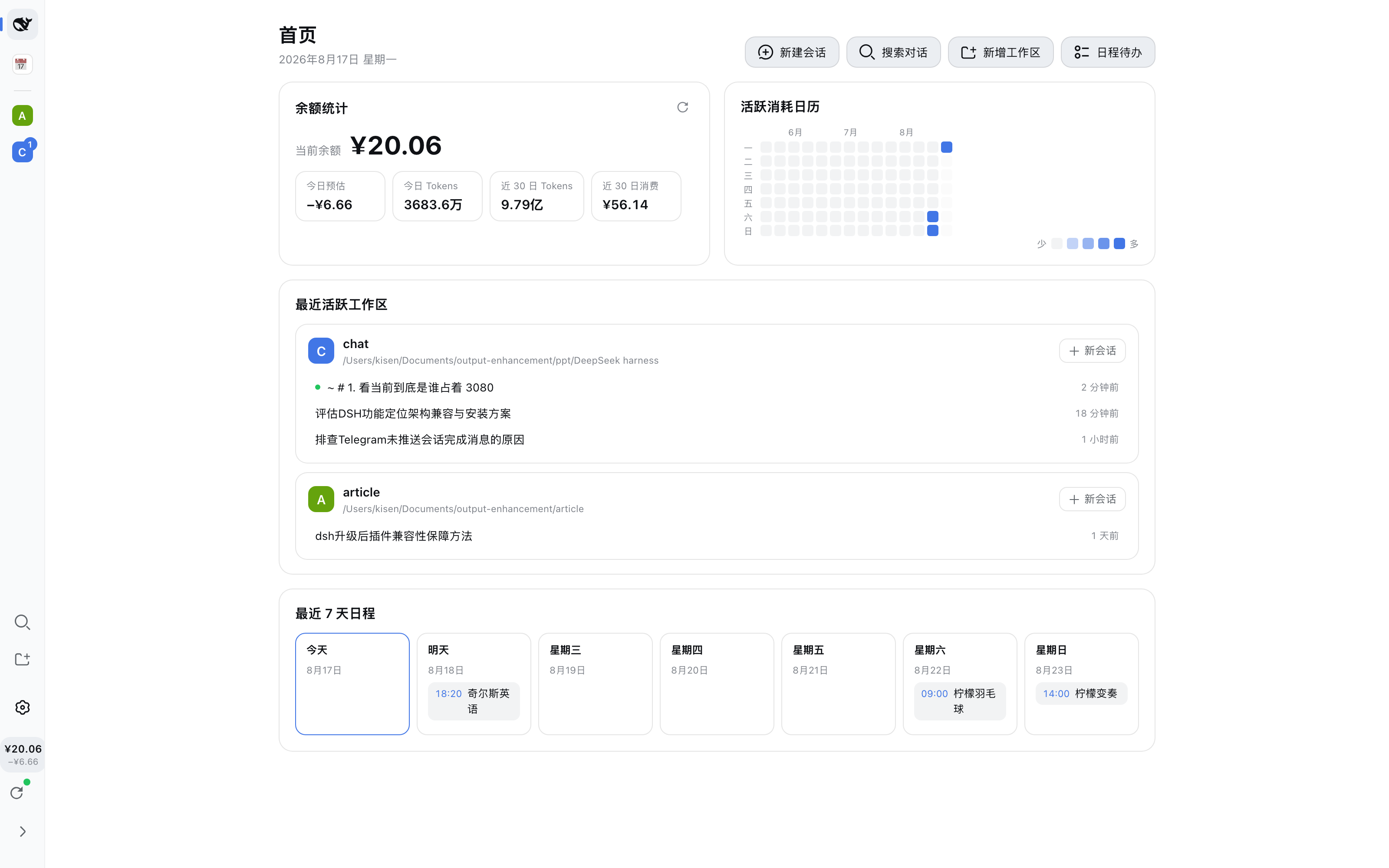
选中过滤:点击图标选中工作区(左侧高亮条 + 图标描边),主侧边栏过滤为该工作区的会话列表。
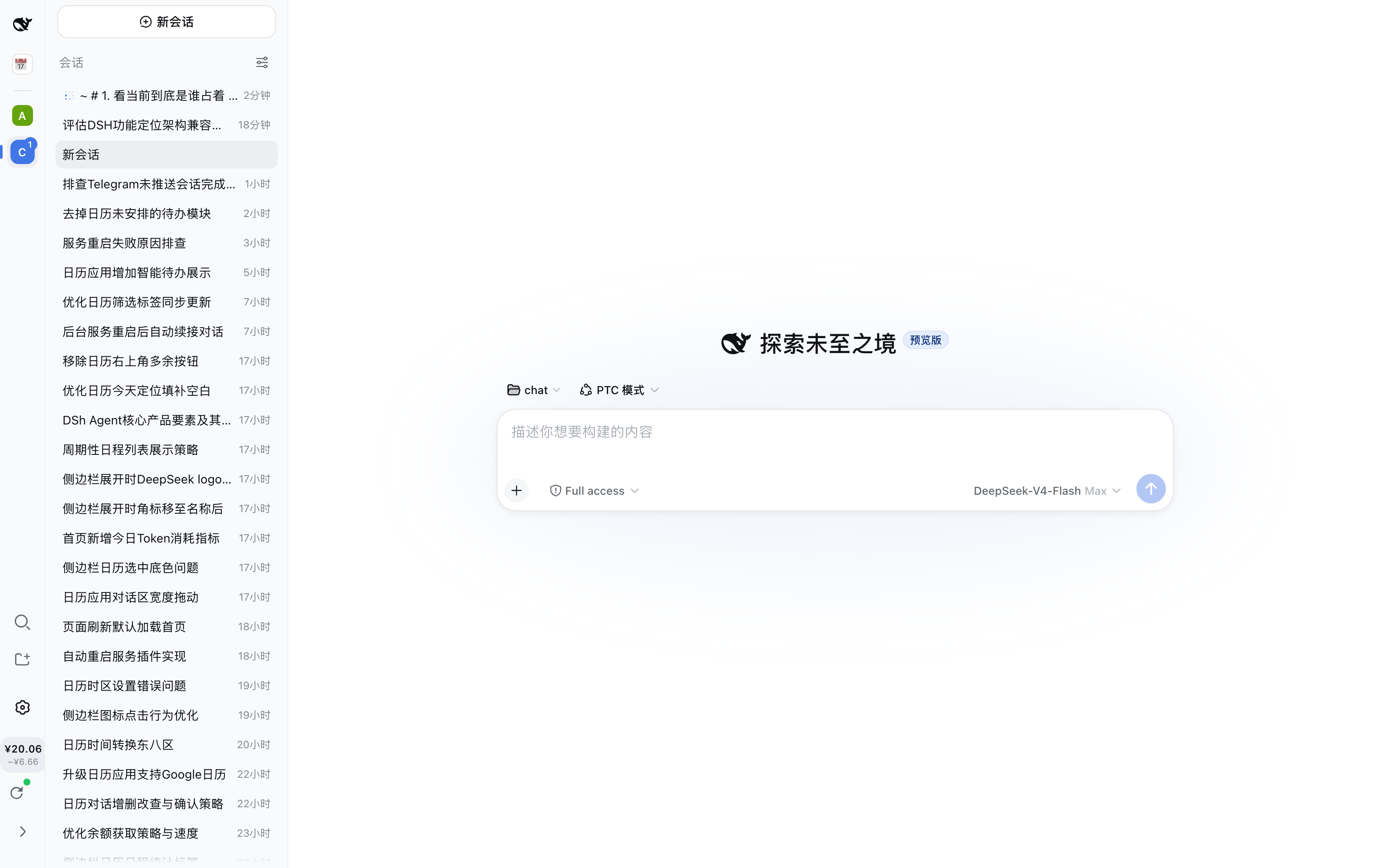
工作区菜单:再次点击已选中的图标(或右键、展开态的省略号按钮)打开菜单:文件夹路径 + 复制路径、
修改名字、修改图标、归档。
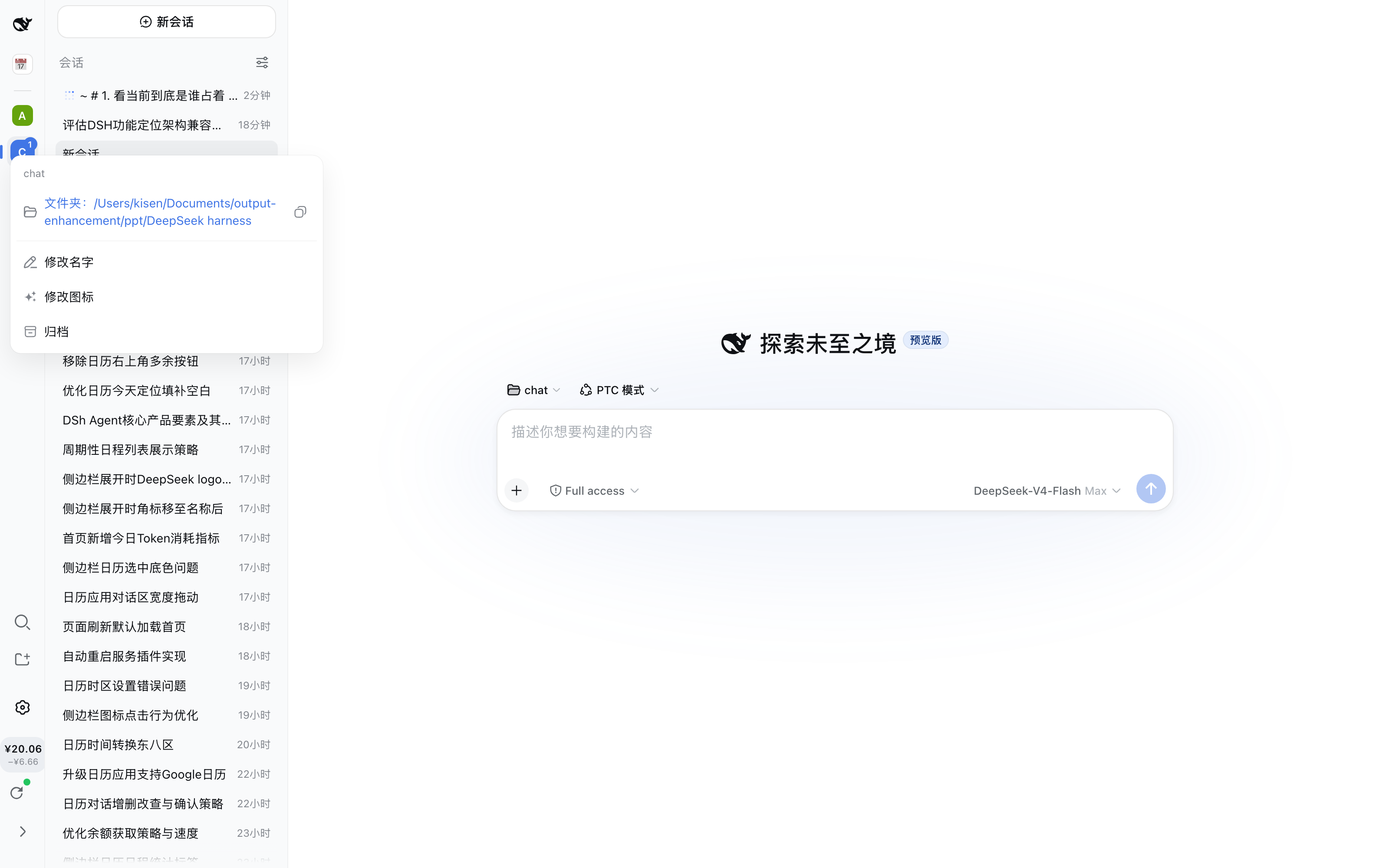
展开态(宽栏):显示工作区名称与运行 / 待关注状态胶囊;每行带省略号菜单按钮。
修改名称:重命名工作区(空名 / 重名校验),保存后主侧边栏等所有界面同步生效。

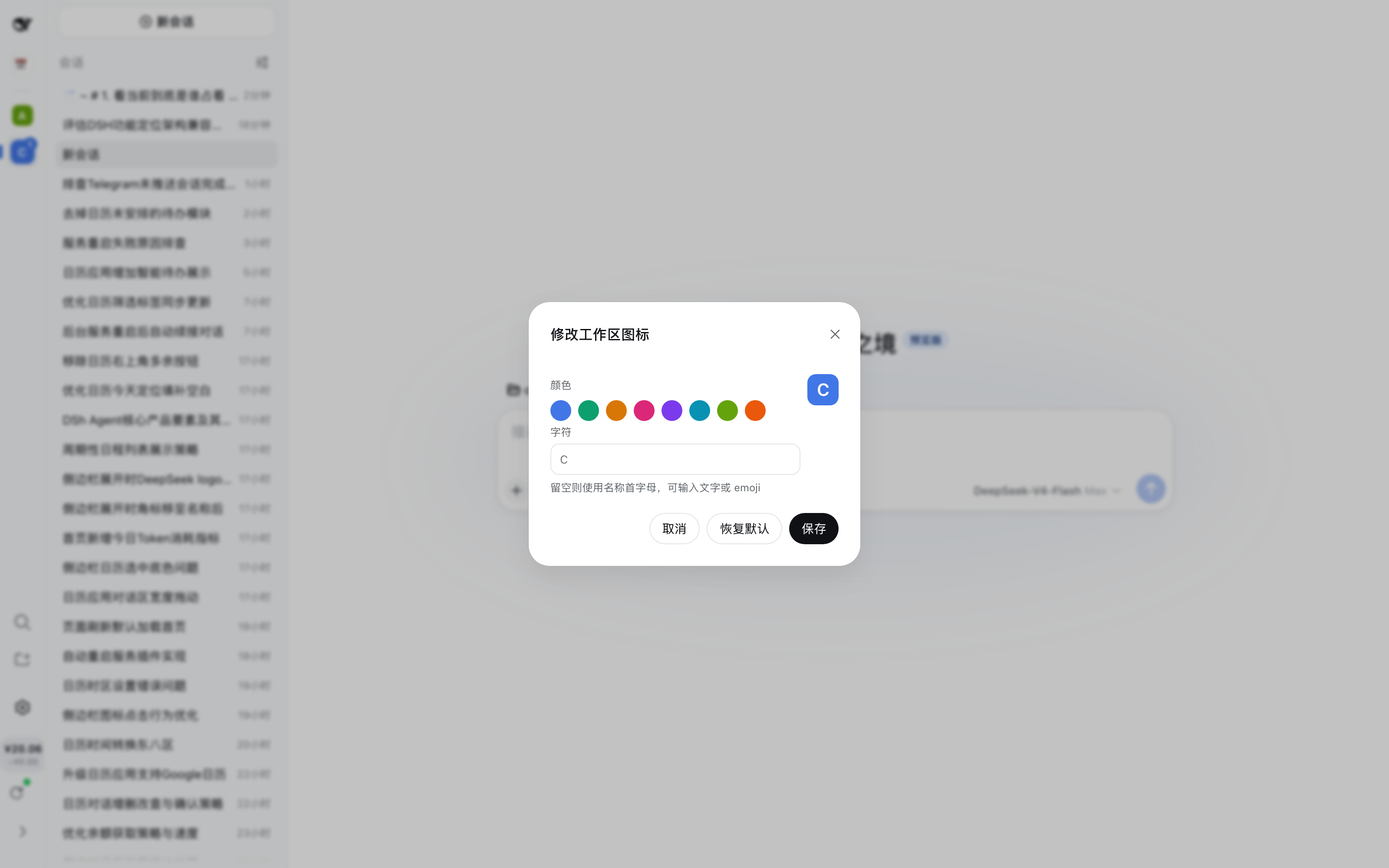
修改图标:按工作区自定义图标颜色与字符(可输入文字或 emoji),或一键恢复默认;持久化于浏览器本地。
首页菜单:点击顶部 logo 进入首页,再次点击(或右键)打开首页菜单:dsh 安装目录 + 复制路径 + 打开文件夹。

归档空态:全部工作区归档后显示"已全部归档"提示;归档的工作区可从设置的"已归档工作区"恢复。
功能
- 每个 workspace 一个图标;点击图标过滤主侧边栏为对应工作区的会话
- 再次点击已选中的图标打开工作区菜单(打开文件夹 / 复制路径 / 修改名字 / 修改图标 / 归档)
- 运行中 / 待关注会话徽章:窄栏显示数字徽章(运行中)与圆点徽章(待关注);展开宽栏显示状态胶囊;
徽章按工作区的会话归属(host canonical-cwd 索引)统计,与侧边栏列表完全一致 - 可收起为窄栏(52px)/ 展开为宽栏(200px,显示名称);双击 rail 空白处也可切换
- 图标颜色与字形可自定义(每工作区独立,localStorage 持久化)
- 首页入口(顶部 logo,与工作区图标同级)与首页菜单(dsh 安装目录)
- 挂载在官方
sidebar.rail槽位(ui-layout 内置 list 槽),不修改任何内置文件
安装
dsh plugin --profile web add dsh-workspace-dock
# 或使用 GitHub Release tarball:
# dsh plugin --profile web add https://github.com/qschen86/dsh-workspace-dock/releases/download/v0.1.0/dsh-workspace-dock-0.1.0.tgz
dsh --profile web --dump-config   # 验证条目
# 重启 dsh web(host 半生效),刷新页面(client 半生效)
卸载
dsh plugin --profile web remove dsh-workspace-dock
兼容性
验证于 dsh 0.1.0-rc.6;纯槽位 + 服务注入实现,无任何内置文件改动。
许可
MIT
Install
Install the catalog once, then DeepSeek Harness can find and install any plugin from this site automatically:
dsh plugin add dshbase-catalogThen say "install dsh-workspace-dock for me" — your agent finds it in the directory and installs it. Docs: dshbase-catalog · verified packs.
This plugin is GitHub source (not published to npm) — install it straight from the repo:
Web profile:
dsh plugin --profile web add github:qschen86/dsh-workspace-dockHeadless (CLI) profile:
dsh plugin --profile headless add github:qschen86/dsh-workspace-dockTest report
Verified: L1 install + L2 load + L3 runtime from GitHub source on dsh 0.1.0-rc.6.
Share this badge
Drop this badge into your README — it links back here and updates automatically when our test status changes:

[](https://dshbase.com/plugins/dsh-workspace-dock/)<a href="https://dshbase.com/plugins/dsh-workspace-dock/"><img src="https://dshbase.com/badges/dsh-workspace-dock.svg" alt="dshbase install-tested"></a>