
插件目录 / Developer / dsh-aseprite
dsh-aseprite
已验证 · 实测可装 Ratevoid
功能简介
Unofficial Aseprite-compatible pixel editor and sprite animation plugin for DeepSeek Harness.
可用 — 实测通过,早期项目
Unofficial Aseprite-compatible pixel editor and sprite animation plugin for DeepSeek Harness. 实测能干净安装、正常启动。早期项目,但功能可用。
「已验证」表示我们的自动化 CI 在干净 profile 里实际执行了 dsh plugin add 并启动成功——仅此而已。功能描述与版本兼容性均为作者声明。这不是安全审计,也不代表对第三方代码的背书。
README
dsh-aseprite
A pixel-art and sprite-animation editor plugin for DeepSeek Harness. It is compatible with Aseprite project files and requires no Aseprite installation.
- 🎨 Adds a 🎨 button to the conversation header; click it to open or close the editor dock above the message input.
- ✏️ Tools: pencil, eraser, bucket fill, picker, line, rectangle, and rectangular region selection, with undo, redo, wheel zoom, grid, onion skinning, adjustable brush/eraser size, and draggable left/right/top/bottom panel splitters.
- 🤖 Select a region, click ASK, describe a local adjustment, and send an enlarged PNG crop plus the selection coordinates to the active DSH conversation. The AI response is reviewed in chat; editor pixels are not changed automatically.
- 🧩 Blueprint workflows: click 🧩 in the toolbar to open a ComfyUI-style visual node graph; drag nodes and click input/output ports to connect them.
- Passive blueprints such as transparent cropping, pixel outlines, and crop-plus-outline run locally, can be reused indefinitely after one creation, and never call the LLM.
- Active blueprints contain an LLM node and send the selected image plus node prompt to the current conversation AI.
- Click AI Create Blueprint and describe a complete task. The assistant's dsh-blueprint JSON is automatically parsed, validated, and stored in the browser library—no manual JSON copying. The library has UI import/export controls.
- 🧅 Layers: create, delete, reorder, and toggle visibility.
- 🎞️ Animation frames: add, duplicate, delete, set frame duration (ms), and preview playback.
- 🎨 Palettes: built-in DB16 and PICO-8-style 16-color palettes, custom colors, extra palettes, and color picking.
- 💾 Reads and writes .aseprite project files in pure JavaScript, with no Aseprite installation required; supports RGBA, grayscale, indexed-color reading, compressed cel decoding, current-frame PNG export, and sprite-sheet PNG export.
Demo
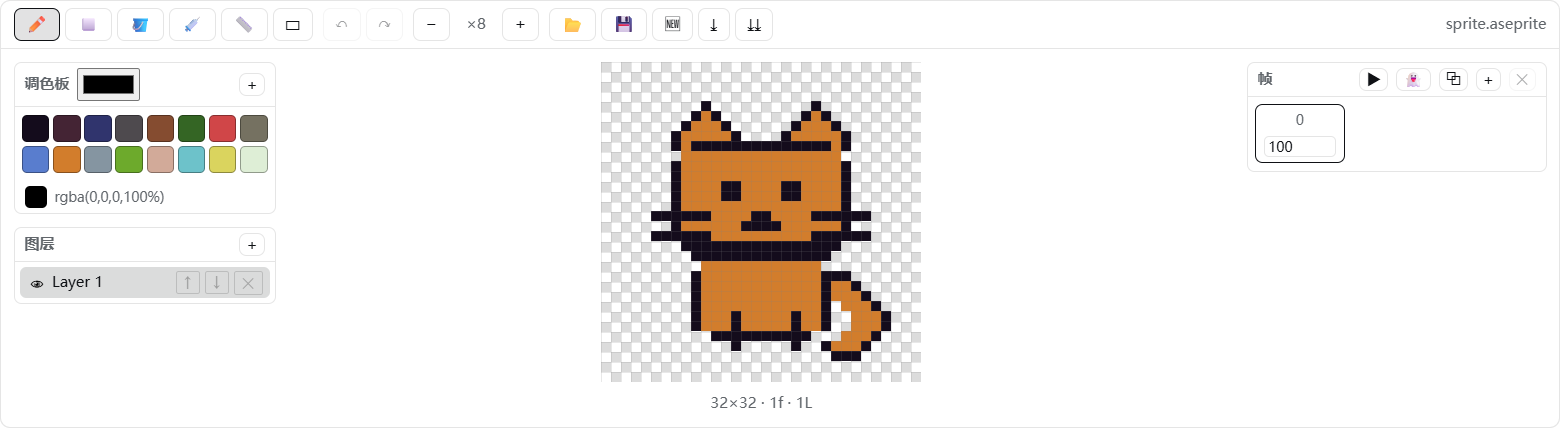
Canvas close-up:

The transparent canvas uses a standard square checkerboard:
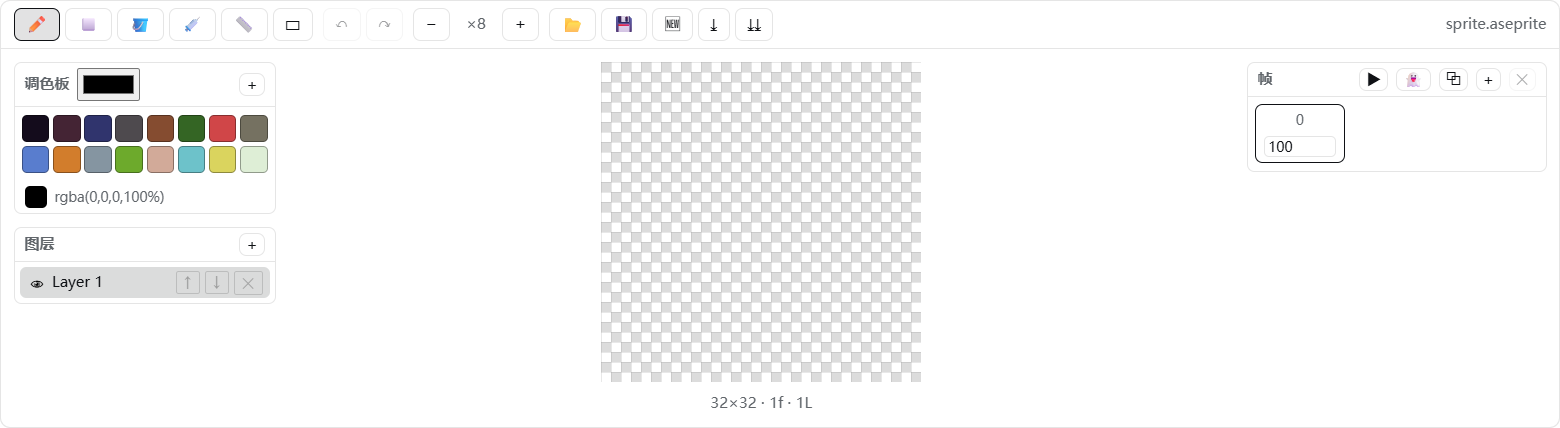
How it works
- Host (
lib/index.js): a minimal loader entry that exposes thedsh.clientdeclaration; the editor runs entirely in the browser. - Client (
client/client.js): follows thewindow.__ModuleLoader__.load({ id, factory })contract and registers the header button and dock throughctx.slotsatconversation.session.header.actionsandconversation.input.dock. - Codec (
src/ase-codec.js): implements the Aseprite file format specification, writing 32bpp RGBA, raw cels, and modern palette chunks that Aseprite can open directly.
Project structure
dsh-aseprite/
├── package.json        # dsh.bundle.patch + dsh.client declarations
├── README.md           # English documentation
├── README.zh-CN.md     # Chinese documentation
├── LICENSE
├── assets/             # GitHub demo images
├── cordis.patch.yml    # loader row: - id: aseprite, name: 'dsh-aseprite'
├── lib/index.js        # minimal host entry
├── client/client.js    # browser bundle (generated)
├── src/ase-codec.js    # ASE binary codec
├── src/editor.js       # document model, drawing, layers, frames, and export
├── src/blueprints.js   # safe declarative blueprint graph engine and library
├── src/client.js       # React UI + apply()
├── tests/blueprints.test.mjs # blueprint normalization/execution/parser tests
└── scripts/build.mjs   # zero-dependency build script
Development / build
node scripts/build.mjs      # regenerate client/client.js
pnpm test:blueprints       # run blueprint engine tests
Install locally
Install with dsh plugin --profile web add. To reinstall manually:
# Replace these placeholders with your local paths; omit --store-dir if it is not needed
dsh plugin --profile web add --store-dir "<your-pnpm-store>" "file:<path-to-dsh-aseprite>"
Restart DeepSeek Harness after installation, then refresh the page. The 🎨 button in the conversation header confirms that the plugin is loaded.
Uninstall
dsh plugin --profile web remove dsh-aseprite
If present, also remove the handwritten aseprite entry from the profile cordis.patch.yml, then restart the application.
安装
装一次目录插件,之后本站所有插件都能让 DeepSeek Harness 自动找、自动装:
dsh plugin add dshbase-catalog然后对 agent 说「帮我装 dsh-aseprite」,它会在目录里找到并自动安装。文档:dshbase-catalog · 已验证场景包。
该插件是 GitHub 源码(未发 npm)——直接从仓库装:
Web profile:
dsh plugin --profile web add github:Ratevoid/dsh-asepriteHeadless(CLI)profile:
dsh plugin --profile headless add github:Ratevoid/dsh-aseprite实测报告
验证通过:从 GitHub 源码完成 L1 安装 + L2 加载 + L3 运行(dsh 0.1.0-rc.6)。
分享徽章
把这枚徽章粘进 README——它会链回本页,实测状态变化时自动更新:

[](https://dshbase.com/zh/plugins/dsh-aseprite/)<a href="https://dshbase.com/zh/plugins/dsh-aseprite/"><img src="https://dshbase.com/badges/dsh-aseprite.svg" alt="dshbase 实测可装"></a>