
插件目录 / Developer / dsh-trajectory-collapse
dsh-trajectory-collapse
已验证 · 实测可装 AwesomeHou
功能简介
DeepSeek Harness web plugin: collapse the agent trajectory while always keeping the agent's final output; default-collapse after final output is on by default (configurable in Settings).
可用 — 实测通过,早期项目
DeepSeek Harness web plugin: collapse the agent trajectory while always keeping the agent's final output; default-collapse after final output is on by default (configurable in Settings). 实测能干净安装、正常启动。早期项目,但功能可用。
「已验证」表示我们的自动化 CI 在干净 profile 里实际执行了 dsh plugin add 并启动成功——仅此而已。功能描述与版本兼容性均为作者声明。这不是安全审计,也不代表对第三方代码的背书。
README
dsh-trace-collapse
一个 DeepSeek Harness Web 界面 永久插件:可以折叠 Agent 的轨迹(中间的思考步骤、工具调用、steering、workflow 运行、上下文注入等),同时始终保留 Agent 的最终输出。
English: README.en.md
演示
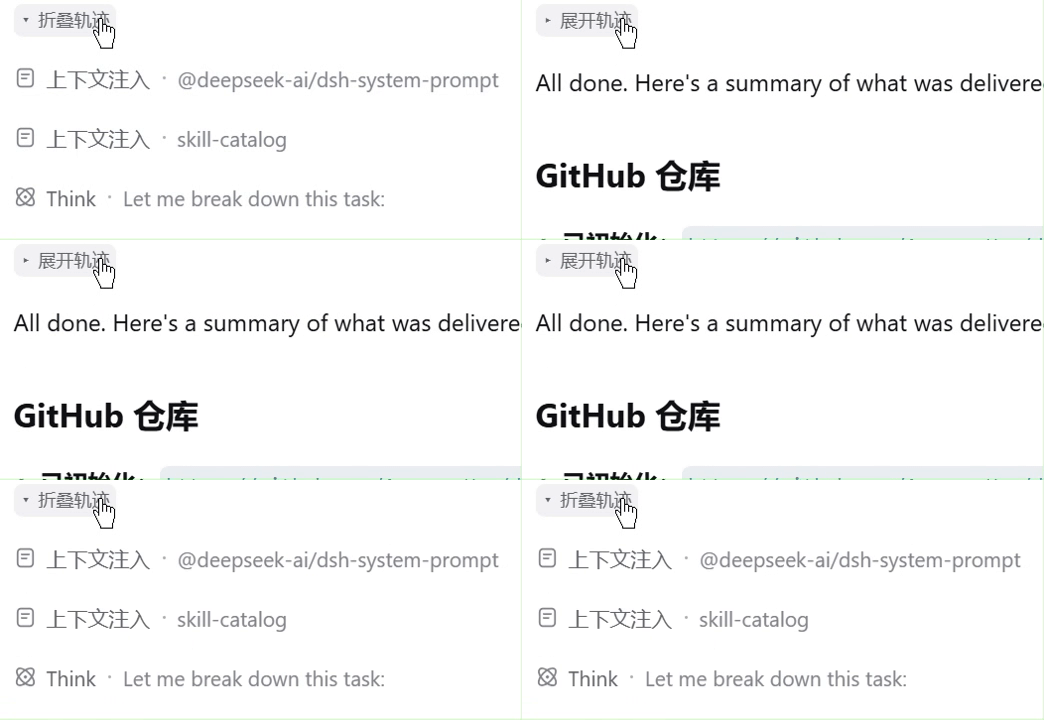
折叠前,完整的 Agent 轨迹(思考、工具调用、上下文注入)都可见;点击轨迹顶部的「Collapse trace」按钮后,只保留用户提问与 Agent 的最终输出,需要时随时可以展开。
| 折叠前(轨迹展开) | 折叠后(仅保留最终输出) |
|---|---|
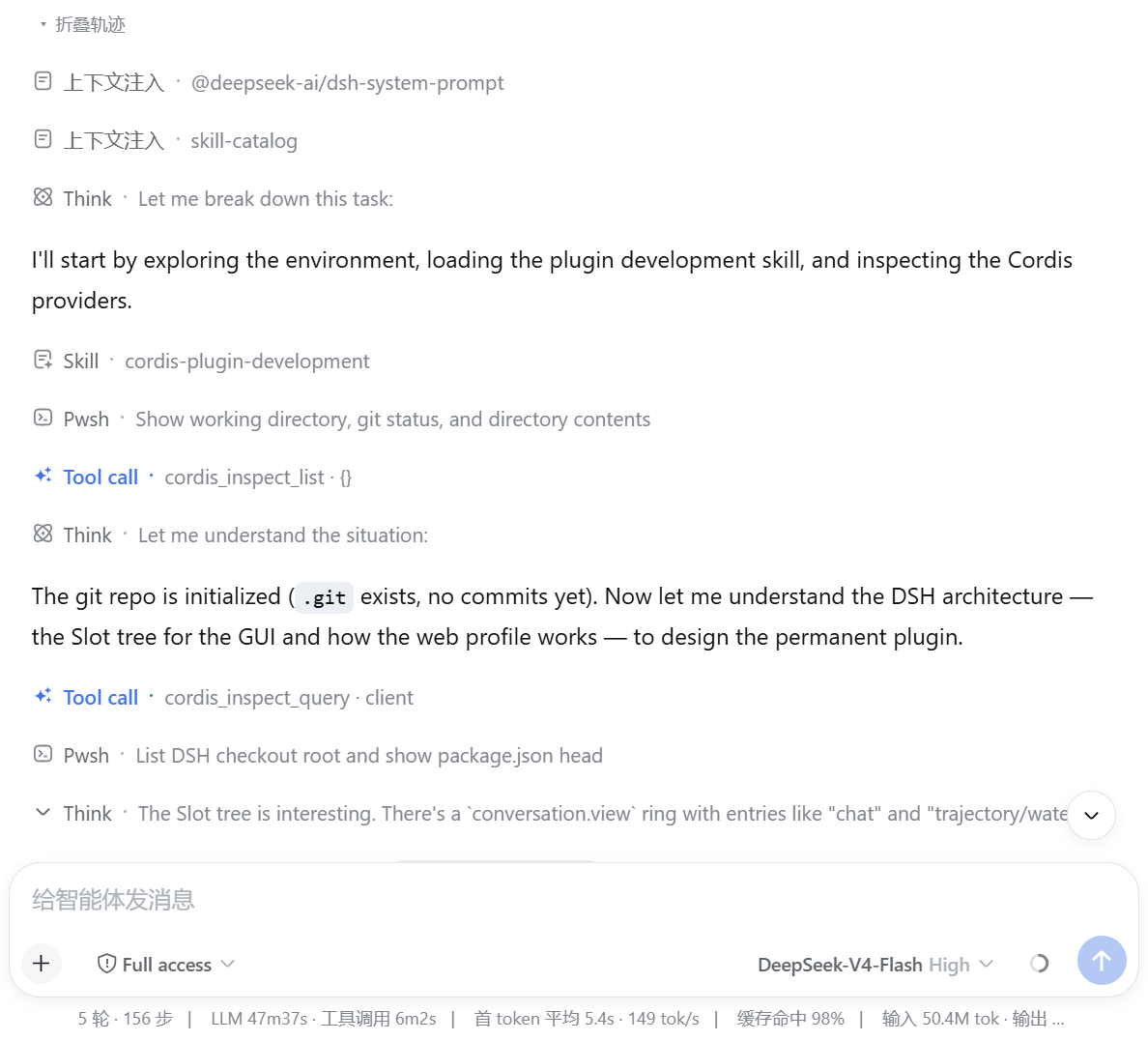 |
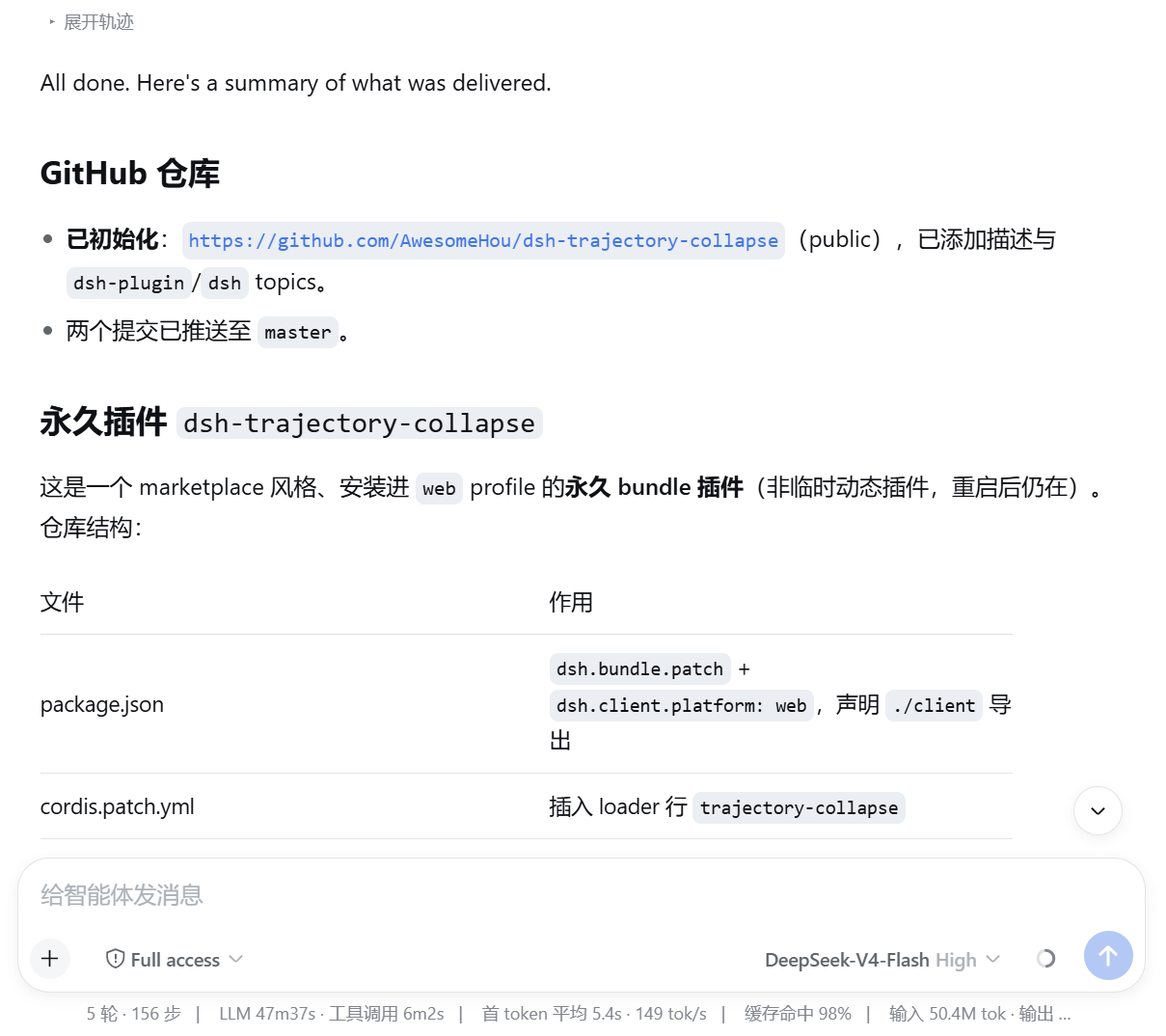 |
功能
- 逐轮次折叠 Agent 轨迹 — 折叠是以轮次为单位的:每个已完成的 Agent 输出顶部都有一个克制的
Expand trace / Collapse trace小按钮,你可以单独控制每一次输出的轨迹折叠。该按钮位于轨迹上方、用户消息下方,且只出现在确实有轨迹可折叠的轮次。 - 始终保留最终输出 — 即使折叠后,用户消息与收尾的助手输出也始终可见;只有中间的轨迹被隐藏。
- 可折叠的轨迹类型 — 工具调用(
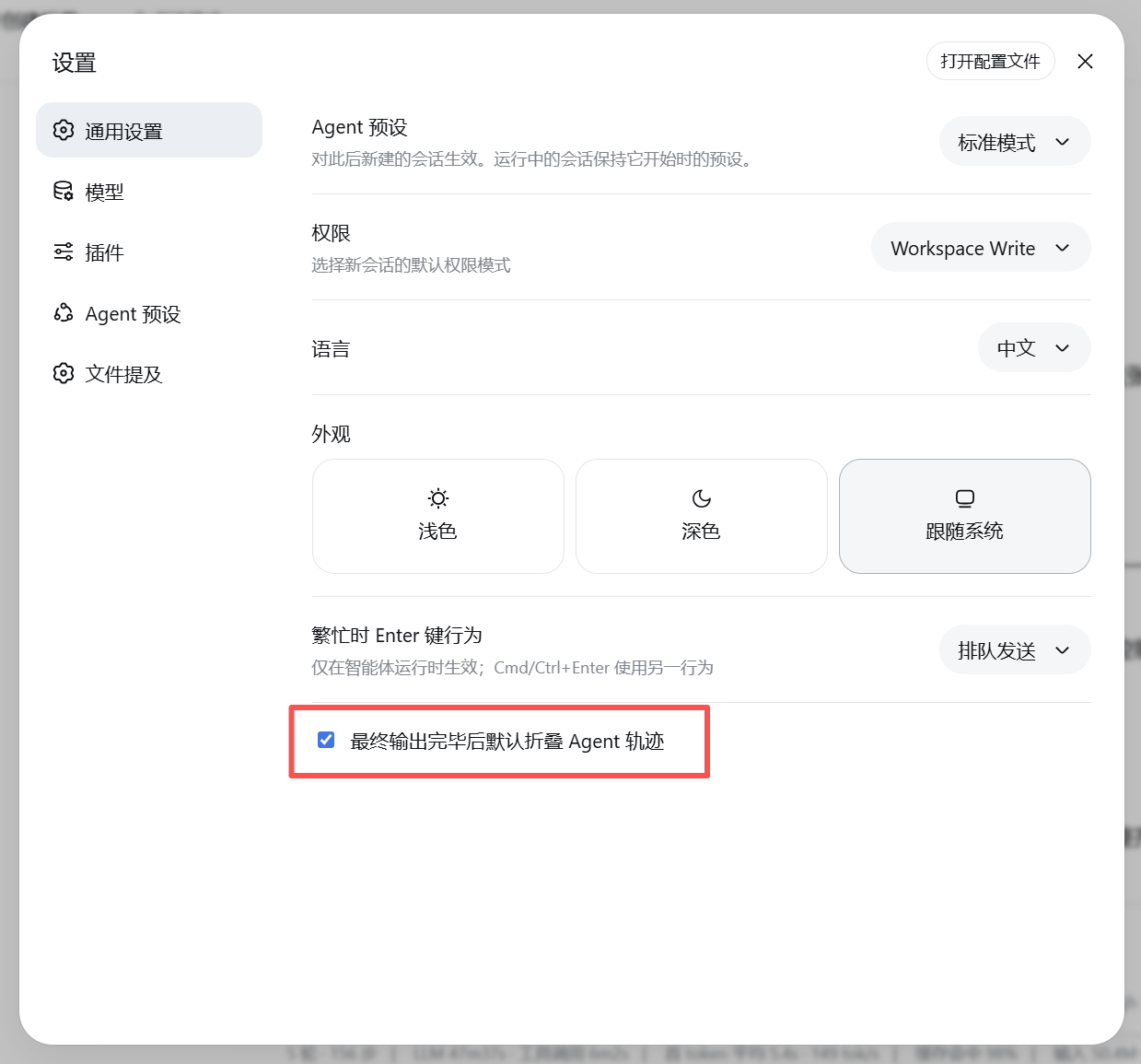
tool-call)、思考步骤(非最终的assistant-step)、steering、workflow 运行、上下文注入行(context,例如 system prompt / skill-catalog)以及 unknown 行。 - 设置 — 在 设置 → 通用 中有一个勾选项 Collapse agent trace by default after final output(在最终输出完成后默认折叠轨迹)。该项默认勾选。取消勾选后,轨迹默认保持展开,直到你按轮次手动折叠。
工作原理
该插件是安装到 web profile 的永久 bundle:
cordis.patch.yml— 插入 loader 行。lib/index.js— Host 半边(空操作;功能都在浏览器端)。lib/client.js— 浏览器半边。它观察聊天流([data-chat-flow]),把流节点按轮次分组,并用data-dsh-trace属性标记轨迹节点。注入的 CSS 会隐藏被标记的节点。它还注册了设置行,并在每个已完成轮次的轨迹顶部注入逐轮次折叠按钮。
安装
方式一:在 DeepSeek Harness 检出目录(profile web):
dsh plugin --profile web add <本仓库路径>
然后重启 harness。
方式二:直接叫agent帮你安装:
帮我安装这个插件:https://github.com/AwesomeHou/dsh-trace-collapse
方式三:先安装插件市场:https://github.com/AwesomeHou/dsh-plugin-marketplace 然后从插件市场里面搜索安装,还可以追踪后续更新。
开发
pnpm run check # 对两个半边分别执行 node --check
许可证
MIT
安装
装一次目录插件,之后本站所有插件都能让 DeepSeek Harness 自动找、自动装:
dsh plugin add dshbase-catalog然后对 agent 说「帮我装 dsh-trajectory-collapse」,它会在目录里找到并自动安装。文档:dshbase-catalog · 已验证场景包。
该插件是 GitHub 源码(未发 npm)——直接从仓库装:
Web profile:
dsh plugin --profile web add github:AwesomeHou/dsh-trajectory-collapseHeadless(CLI)profile:
dsh plugin --profile headless add github:AwesomeHou/dsh-trajectory-collapse实测报告
验证通过:从 GitHub 源码完成 L1 安装 + L2 加载 + L3 运行(dsh 0.1.0-rc.6)。
分享徽章
把这枚徽章粘进 README——它会链回本页,实测状态变化时自动更新:

[](https://dshbase.com/zh/plugins/dsh-trajectory-collapse/)<a href="https://dshbase.com/zh/plugins/dsh-trajectory-collapse/"><img src="https://dshbase.com/badges/dsh-trajectory-collapse.svg" alt="dshbase 实测可装"></a>