
插件目录 / Knowledge / dsh-vision-subagent
dsh-vision-subagent
已验证 · 实测可装 ruby1304
功能简介
Vision for DeepSeek Harness agents — paste images in the Web composer, delegate reads to Kimi/MiniMax vision routes on isolated contexts; zero image bytes in the main session
可用 — 实测通过,早期项目
Vision for DeepSeek Harness agents — paste images in the Web composer, delegate reads to Kimi/MiniMax vision routes on isolated contexts; zero image bytes in the main session 实测能干净安装、正常启动。早期项目,但功能可用。
「已验证」表示我们的自动化 CI 在干净 profile 里实际执行了 dsh plugin add 并启动成功——仅此而已。功能描述与版本兼容性均为作者声明。这不是安全审计,也不代表对第三方代码的背书。
README
dsh-vision-subagent

Eyes for text-only DeepSeek Harness agents: delegate image reading to a one-shot subagent running on a separately configured vision route (MiniMax / Kimi / any OpenAI-compatible provider). Image bytes and the vision model's intermediate context never enter the main session — only the final text answer comes back.
Why a subagent
- Context isolation: large screenshots and multi-image comparisons never occupy the main model's window
- Multi-turn visual reasoning: the child can call read_image on more workspace files before answering
- Cost & route separation: vision calls bill on the MiniMax/Kimi route; the main model only reasons
Quick start
sh dsh plugin --profile web add /path/to/dsh-vision-subagent
Then edit ~/.dsh/profiles/web/cordis.patch.yml:
`yaml
- insert:
- id: vision-subagent
name: 'dsh-vision-subagent'
config:
provider: kimi-coding # or minimax-cn / a hand-declared route
model: k3 # or MiniMax-M3 / MiniMax-VL-01
- id: vision-subagent
`
Restart dsh web, open a new session, and ask: "Look at ~/Desktop/error.png — what is the error?" The model calls vision_agent(images=[...], question=...) on its own.
Screenshots
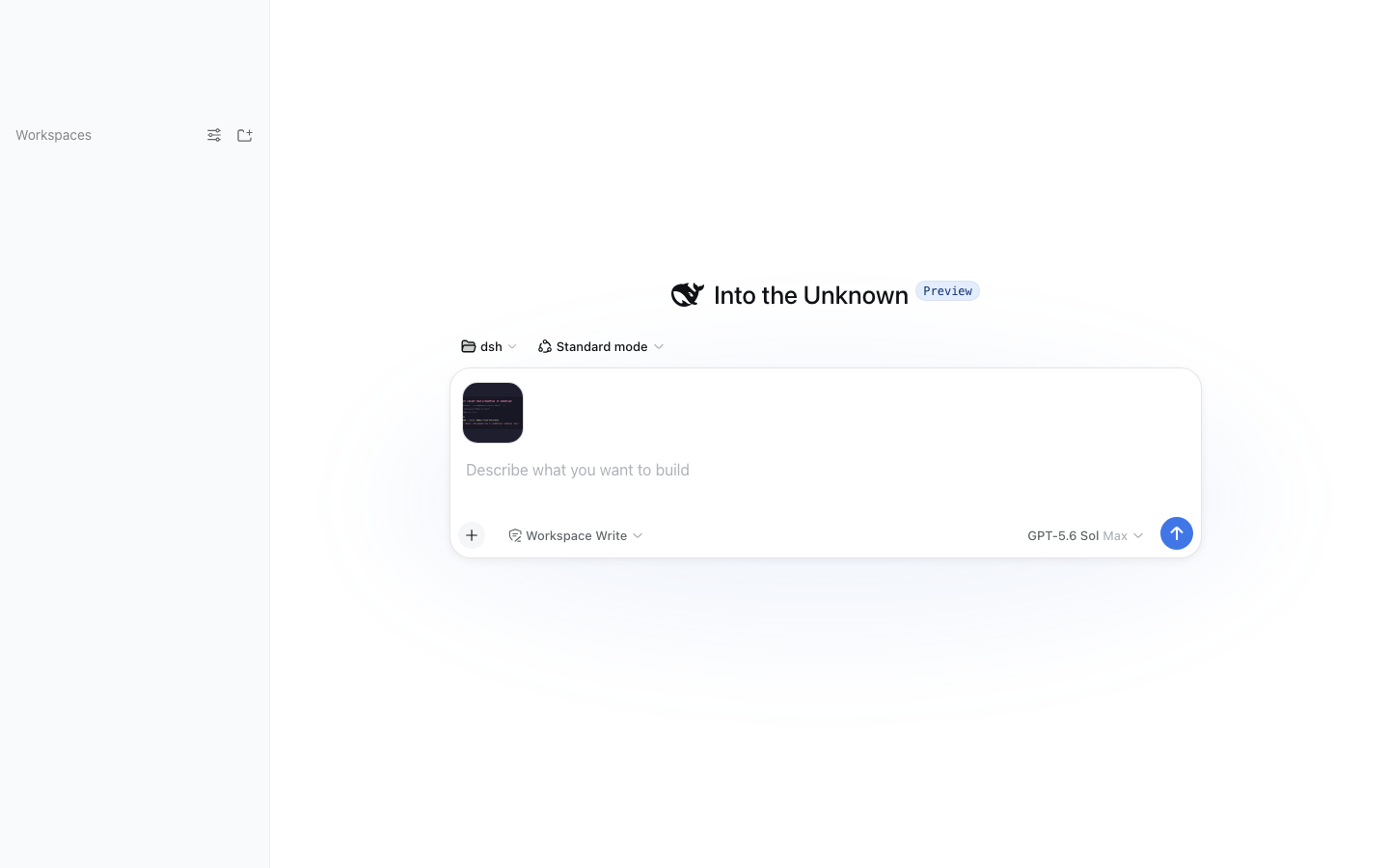
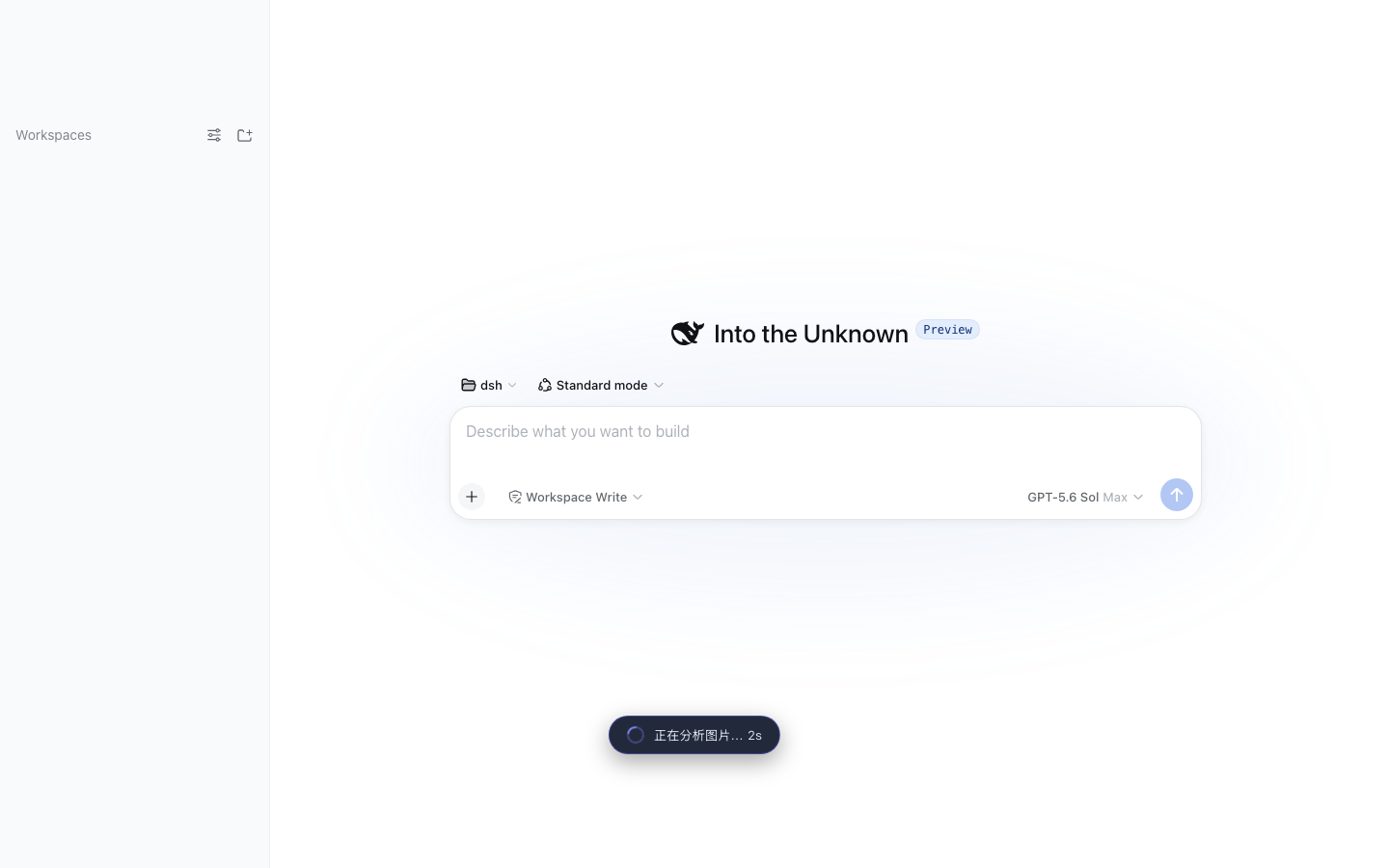
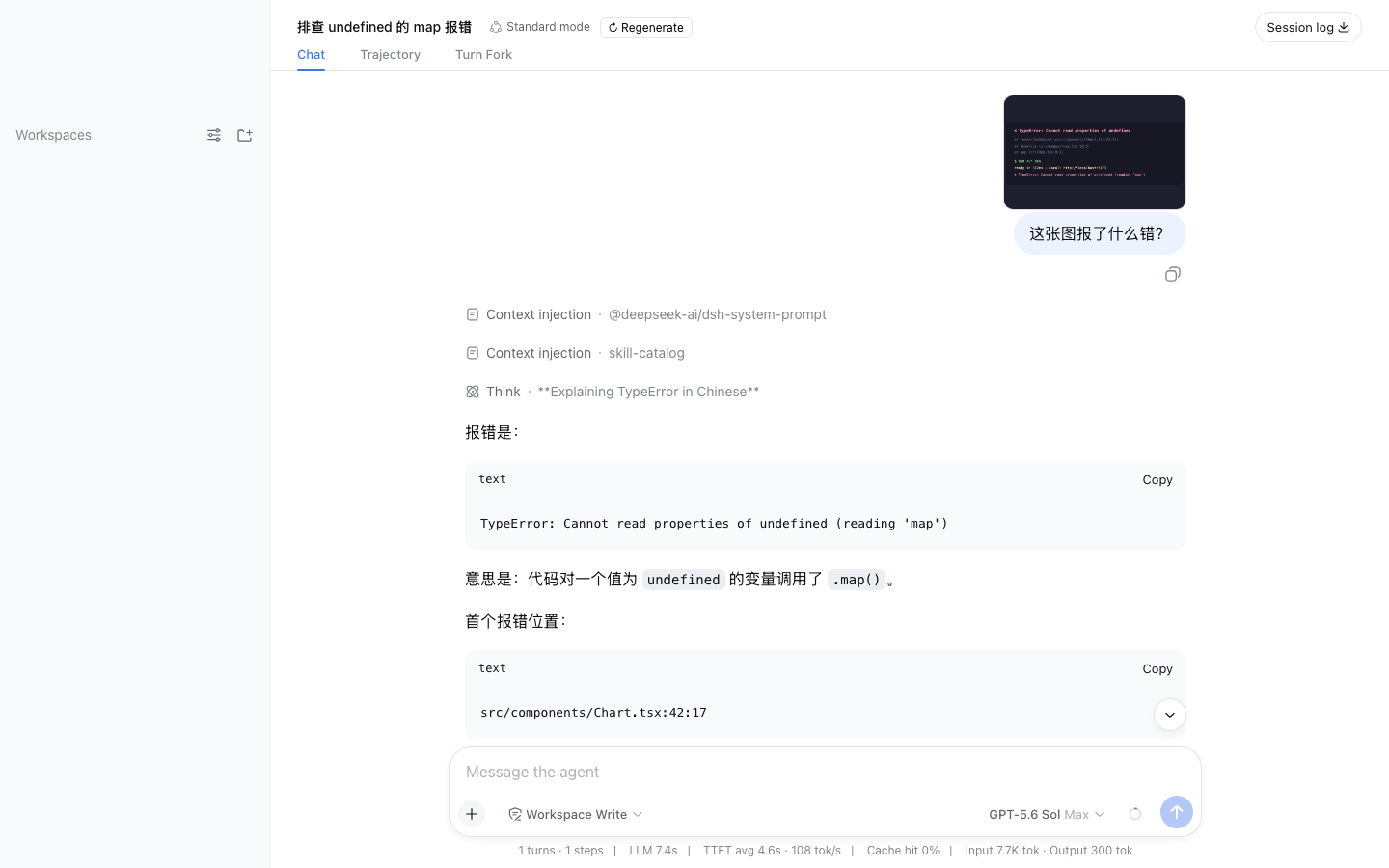
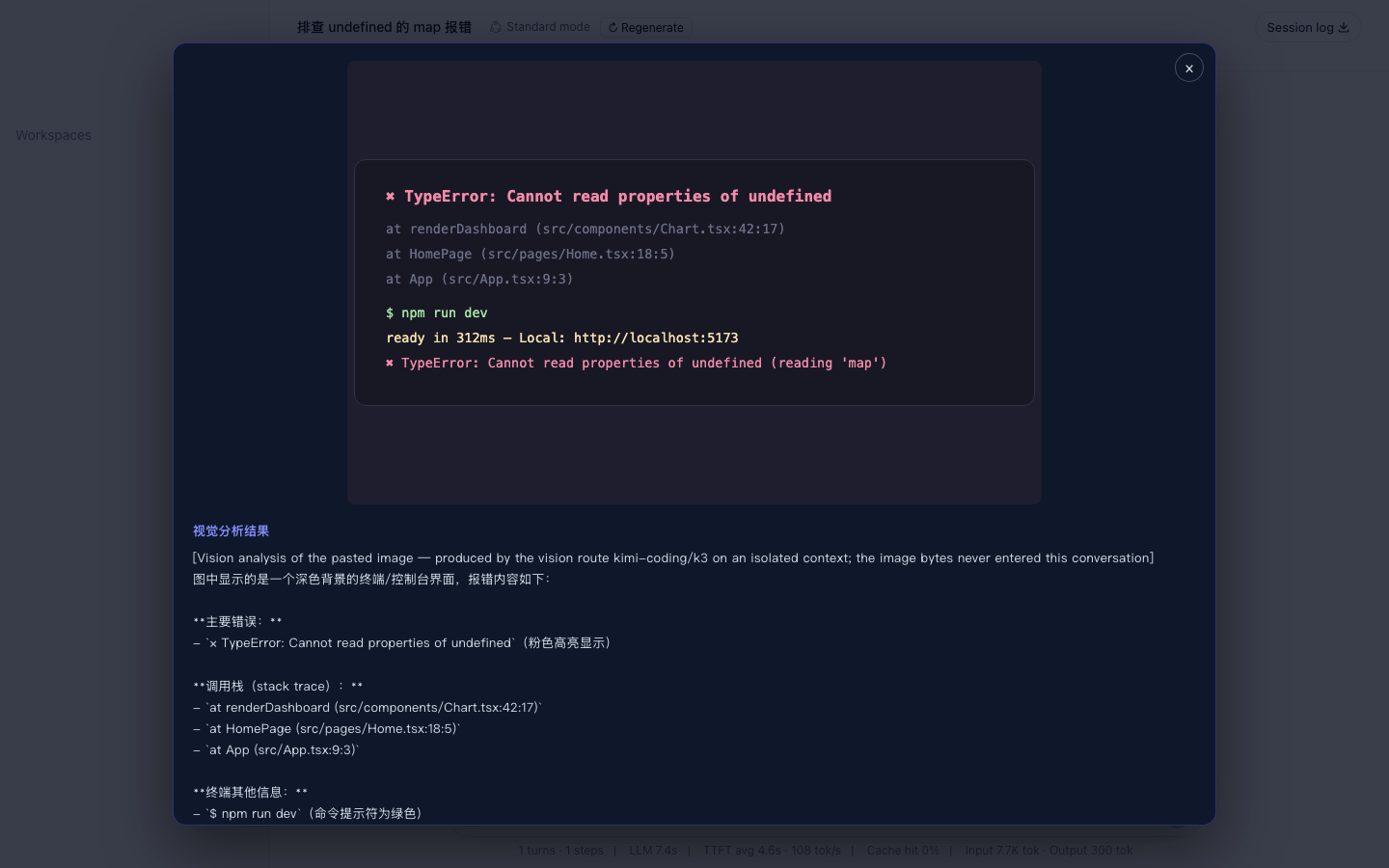
| Paste & ask | Analyzing | Clean bubble | Lightbox |
|---|---|---|---|
 |
 |
 |
 |
Paste images into the composer (Codex-style)
The Web composer accepts pasted/dropped images natively. On send, the client plugin uploads them to the host endpoint, which:
- validates the session and stores the images as durable attachments (bounded by deployment limits)
- runs ONE vision-route analysis on an isolated context (image bytes never enter the main session), guided by your draft message — the analysis focuses on what your words target (error text for a debugging ask, outfit details for a styling ask) instead of describing everything generically
- sends only the analysis text along with your message — the main model answers immediately, no tool call needed
In the chat history your bubble shows only your own words plus thumbnails; the analysis lives in the lightbox that opens when you click a thumbnail, never duplicated inline. Need the original bytes later (image editing, pixel-level inspection)? The durable message links let the model call vision_image_fetch to materialize the full-fidelity file into the workspace's .dsh-vision/ directory.
On failure (timeout, route error) the message is not sent and the composer draft is preserved. This channel complements the vision_agent tool: pasted images take the automatic path, while workspace files are read by the model calling the tool itself.
MiniMax / Kimi vision models
| Provider | baseURL | Vision models | Key env |
|---|---|---|---|
| Kimi (Moonshot) | https://api.moonshot.cn/v1 | k3 / kimi-k3 / moonshot-v1-8k-vision-preview | MOONSHOT_API_KEY |
| MiniMax | https://api.minimaxi.com/v1 | MiniMax-VL-01 | MINIMAX_API_KEY |
| MiniMax CN | (built-in llm-pi-ai minimax-cn route) | MiniMax-M3 | MINIMAX_CN_API_KEY |
If a route already exists in Settings/Models (e.g. kimi-coding, minimax-cn), the plugin config only names provider + model — the key stays in the route's credential reference. The plugin itself never touches secrets.
Configuration
| Field | Default | Meaning |
|---|---|---|
| enabled | true | Master switch |
| provider / model | '' (dormant) | Vision route; must be set together |
| subagentProvider | spawn | ctx.subagents provider |
| maxDepth | 1 | Absolute delegation-depth cap for the spawned child; 1 lets the vision child run but forbids further delegation (0 would reject the child itself — a top-level agent's child is depth 1) |
| maxImages | 4 | Images per call |
| maxImageBytes | 10 MiB | Per-image byte cap |
| maxPromptChars | 8000 | Question length cap |
| maxOutputChars | 32000 | Returned text truncation |
| allowRemoteUrls | false | Reserved (v0.1 supports local paths only) |
| allowOutsideWorkspace | false | Workspace containment bypass |
| extraAllowedRoots | [] | Extra allowed image roots |
| guidance | '' | Extra instructions appended to the child prompt |
Security model
- Keys live only in the vision route's credential reference (env); the plugin accepts no plaintext secrets
- Local images default to the session workspace; symlinks are rejected; reads are byte-capped
- The child runs with maxDepth: 1 (runs, but cannot delegate further) and instructions forbid file modification and shell use
vision_image_fetchwrites only under the session workspace's.dsh-vision/with self-generated content-hashed filenames; no caller-controlled path segment reaches the disk
Architecture
Main model (text-only) └─ vision_agent(images, question) ──┐ │ 1. admission: ext / containment / symlink / byte cap │ 2. ctx.attachments.saveImage → durable content-addressed refs │ 3. ctx.subagents.start('spawn', { agentOptions: {provider, model} }) ▼ One-shot subagent (MiniMax/Kimi vision route, own context) └─ final text ──► main session (only this message enters main context)
The plugin consumes harness services structurally (duck-typed) and is rc-version tolerant. Runtime dependencies: @deepseek-ai/dsh-tools (defineTool) and @deepseek-ai/schemastery (config schema) only.
Roadmap
- Web paste bridge: composer images auto-trigger vision analysis (v0.2)
- Context-aware paste analysis: your draft message steers the vision focus; bubble stays clean (v0.3)
-
vision_image_fetch: materialize pasted originals into.dsh-vision/for editing (v0.3) - Settings panel for provider/model selection
- Remote image URL support (bounded fetch)
- Embedded SKILL.md steering when to delegate
Development
sh npm install && npm run typecheck && npm test && npm run build
Before publishing, align @deepseek-ai/* versions in dependencies/devDependencies with the target harness rc (runtime deps currently rc.6, peer range >=rc.5 <0.1.0 — compatible with a local rc.5 checkout).
License
MIT
安装
装一次目录插件,之后本站所有插件都能让 DeepSeek Harness 自动找、自动装:
dsh plugin add dshbase-catalog然后对 agent 说「帮我装 dsh-vision-subagent」,它会在目录里找到并自动安装。文档:dshbase-catalog · 已验证场景包。
该插件是 GitHub 源码(未发 npm)——直接从仓库装:
Web profile:
dsh plugin --profile web add github:ruby1304/dsh-vision-subagentHeadless(CLI)profile:
dsh plugin --profile headless add github:ruby1304/dsh-vision-subagent实测报告
验证通过:从 GitHub 源码完成 L1 安装 + L2 加载 + L3 运行(dsh 0.1.0-rc.6)。
分享徽章
把这枚徽章粘进 README——它会链回本页,实测状态变化时自动更新:

[](https://dshbase.com/zh/plugins/dsh-vision-subagent/)<a href="https://dshbase.com/zh/plugins/dsh-vision-subagent/"><img src="https://dshbase.com/badges/dsh-vision-subagent.svg" alt="dshbase 实测可装"></a>