
插件目录 / UI & Skins / pptwise
pptwise
已验证 · 实测可装 liustack
功能简介
A real PowerPoint file. Not a picture of one. Tell your AI what to cover and pptwise builds an editable deck on your own machine. Agent skill + DSH plugin, no account and no API key to render. | 真正的 PPT,不是一张图。跟 AI 说要讲什么,pptwise 在你自己电脑上做出一份能改的 PPT。Agent skill + DSH 插件,不用注册,渲染不用 API key。
可用 — 实测通过,早期项目
A real PowerPoint file. Not a picture of one. Tell your AI what to cover and pptwise builds an editable deck on your own machine. Agent skill + DSH plugin, no account and no API key to render. | 真正的 PPT,不是一张图。跟 AI 说要讲什么,pptwise 在你自己电脑上做出一份能改的 PPT。Agent skill + DSH 插件,不用注册,渲染不用 API key。 实测能干净安装、正常启动。早期项目,但功能可用。
「已验证」表示我们的自动化 CI 在干净 profile 里实际执行了 dsh plugin add 并启动成功——仅此而已。功能描述与版本兼容性均为作者声明。这不是安全审计,也不代表对第三方代码的背书。
README

pptwise
A real PowerPoint, not HTML.
🥇 The most powerful deck-generation plugin for DeepSeek Harness (dsh) 🥇
pptwise.com · 简体中文 · Install (hand it to your AI) · Commands · IR · Themes · Agent skill · ModLens (vision)





What it makes
 |  |  |
 | 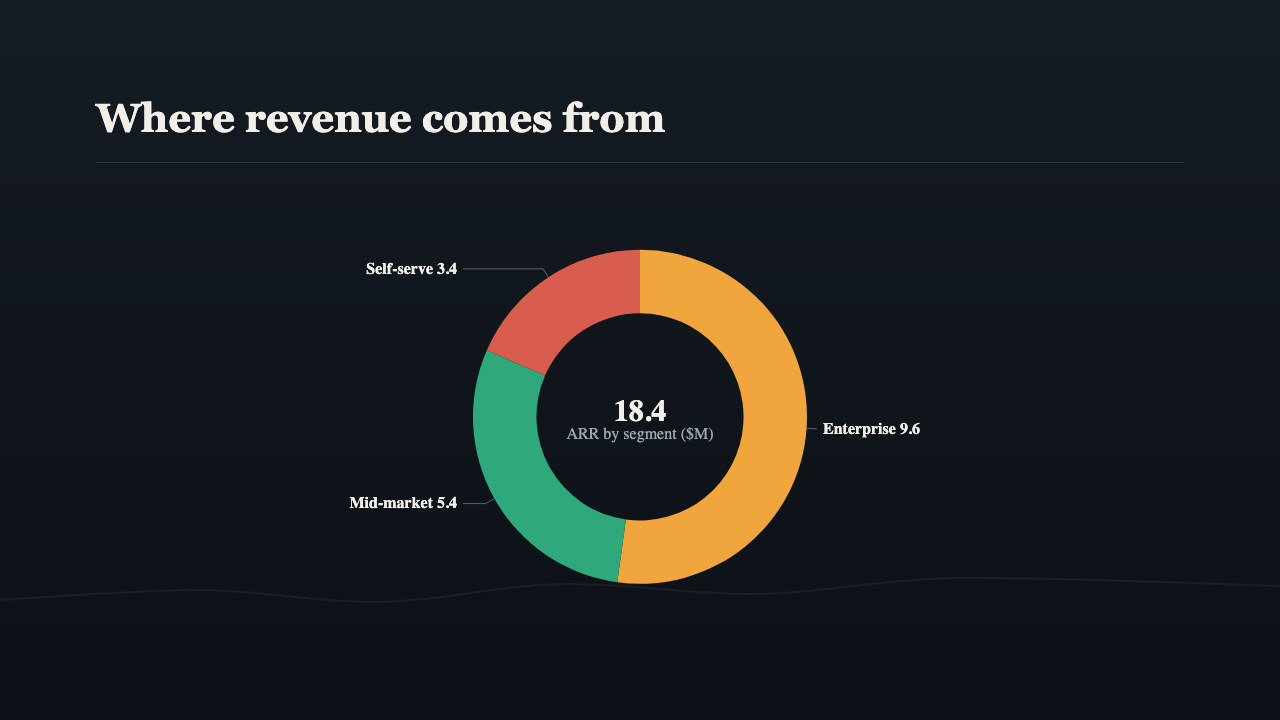 |  |
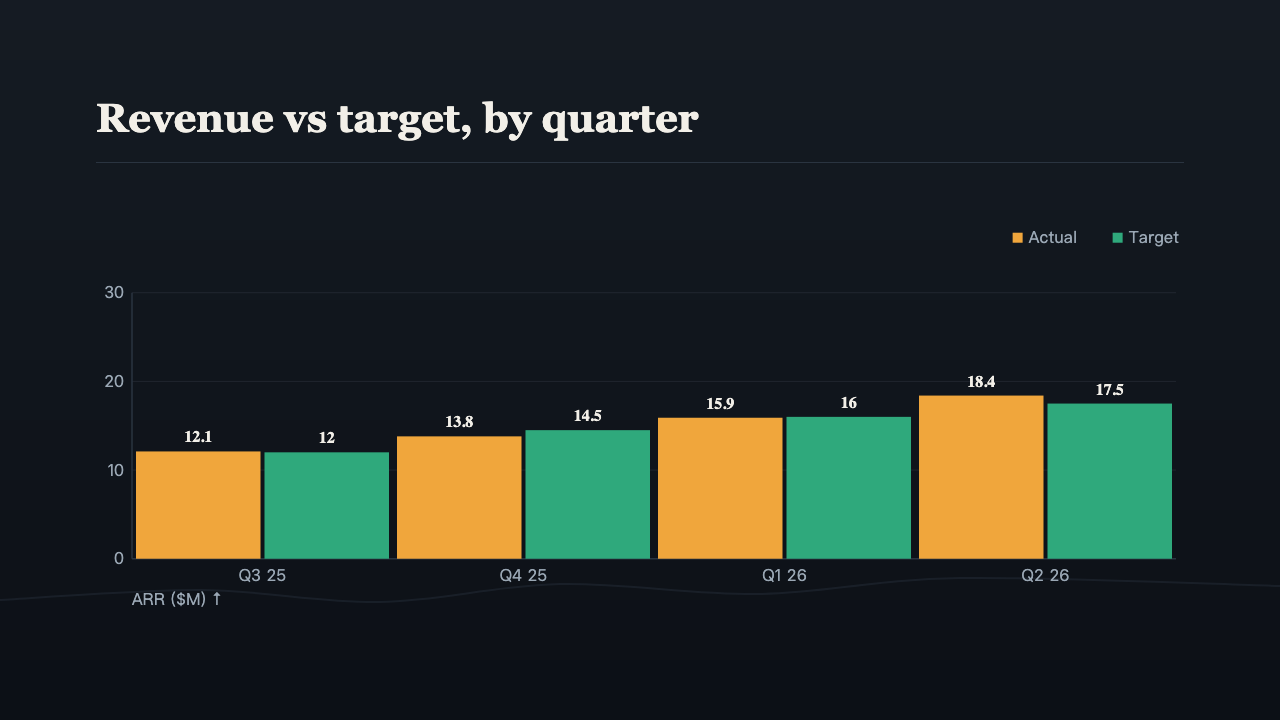
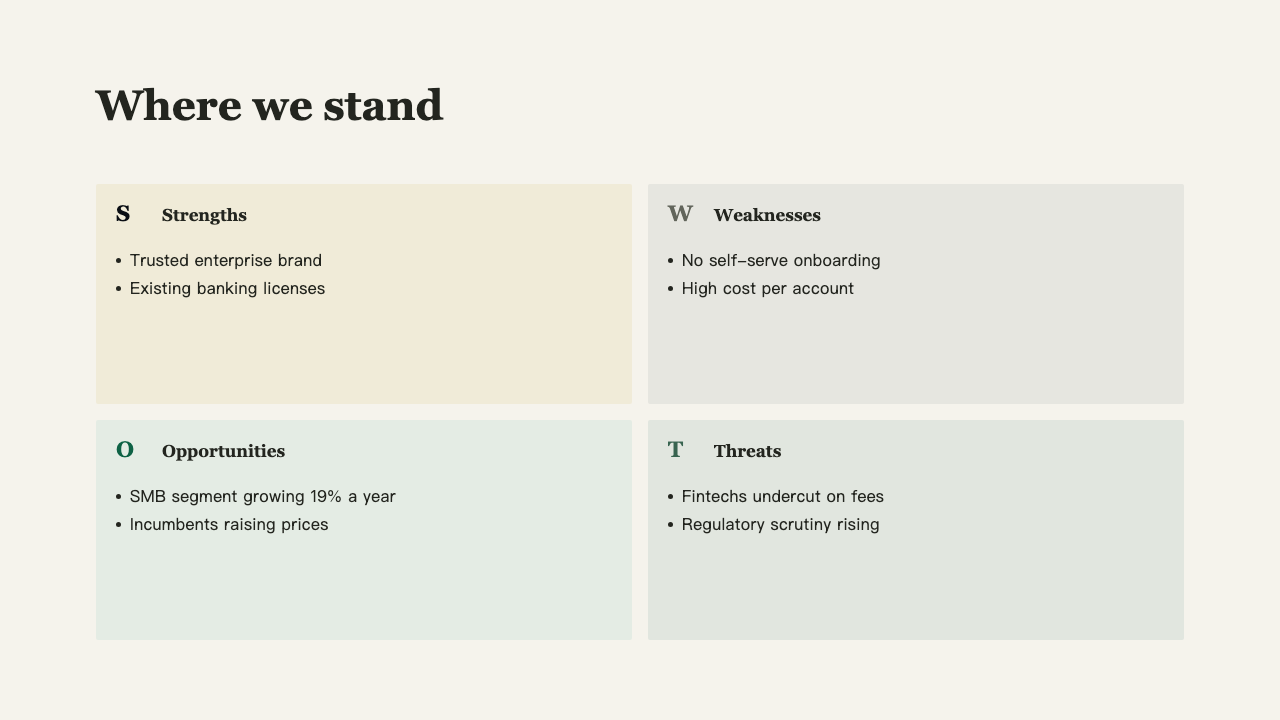
Pages from the decks in examples/, rendered by the engine. In the exported file every bar, label, and card is a native PowerPoint shape with editable text. Three of the decks come ready to open: product pitch · charts · quarterly review, in Chinese.
Talk to us
Issues are welcome any time. Open one, or follow @liustack on X. Share what you made with pptwise, which harness you use, and what the next release should solve. New releases land there first.
Highlights
⚡ Tell your AI what to cover, get the deck. You bring the intent, the engine turns semantic page kinds and typed components into a coherent theme-bound deck. The same bound input renders the same output every time.
✏️ Open it in PowerPoint and keep working. Every heading, bullet, and chart bar opens in PowerPoint for you to retype and restyle. Chart and table figures are the exception: every bar and cell is an editable shape with editable text, not a native PowerPoint chart or table object carrying data, so to change the numbers, have your AI rebuild that page. Start from 24 factory themes, copy one into your workspace, or extract colors and fonts from a deck your company already uses.
🔌 Installs into the agent you already use. One command puts pptwise into DeepSeek Harness, Claude Code, or any agent that reads a skill folder (Codex and friends), and it knows how to build a deck the moment it lands.
🔁 Revisions without describing everything again. One command opens a live preview in your browser. Tell your AI what to change in plain words, and the page refreshes itself as each revision lands.
🔒 No account, no API key to render, no network at render time. Install it and it works. Node 22.19+ or Bun is all you need on the machine. Optional stock-photo search uses the user's own Pexels key.
Install
Step 1, hand it to your AI. Send it this line:
Install pptwise following https://raw.githubusercontent.com/liustack/pptwise/main/INSTALL.md, then run the health check and tell me the result.
On DeepSeek Harness, send this instead. There pptwise is a native plugin rather than a skill folder, so it has its own guide. You pick the line, not your agent: an agent cannot reliably tell which harness it is running in.
Install pptwise following https://raw.githubusercontent.com/liustack/pptwise/main/INSTALL-dsh.md, then run the health check and tell me the result.
There is no step 2. Your AI puts the skill folder where your harness reads it, and the skill brings its own version-pinned launcher, so there is no CLI to install by hand. pptwise renders a PPTX entirely locally: no API key, no account, nothing to configure for render. Optional stock-photo search needs the user's own Pexels key. The only prerequisite is Node 22.19+ (or Bun).
Quick start
IR v5 is one JSON file describing a complete bound deck. Every content page names its semantic kind. The theme menu turns that kind into a visual face.
{
  "version": "5",
  "filename": "hello.pptx",
  "theme": { "id": "brief" },
  "slides": [
    {
      "type": "cover",
      "heading": "Hello pptwise",
      "subheading": "A first native deck"
    },
    {
      "type": "content",
      "kind": "points",
      "heading": "Why it works",
      "components": [
        {
          "type": "bullets",
          "items": ["Semantic IR in", "Theme-menu lookup", "Native DrawingML out"]
        }
      ]
    },
    { "type": "ending", "heading": "Thanks" }
  ]
}
Save that as deck.json, then run:
pptwise validate deck.json
pptwise render deck.json -o out/hello.pptx
pptwise preview deck.json -o out/review --html
Choose a theme from pptwise themes --json by matching occasions and identity. Compare two to four candidates before binding:
pptwise theme try brief,swiss,memo
Create a complete independent v2 theme by copying a preset, forking a palette, or extracting an Office brand:
pptwise theme new --from brief -o themes/acme.theme.json --id acme
pptwise theme fork acme --primary "#0B5FFF" -o themes/acme-blue.theme.json --id acme-blue
pptwise brand extract corp.pptx -o themes/acme-brand.theme.json --id acme-brand --from brief
A deck project binds one theme in deck.spec.json, then keeps page content in pages/<id>.json. Render has no temporary theme switch. A same-menu color fork can replace the binding. A different menu requires returning to theme selection, then revisiting the spec and affected page fills.
No install also works: npx -y @liustack/pptwise validate deck.json. In a source checkout, use node dist/cli.js in place of pptwise. Ready-made v5 files live under examples/.
The commands you will reach for most:
| command | purpose |
|---|---|
spec validate <spec.json> |
Validate page order, kinds, headings, narrative, and theme-menu fit. |
assemble <dir> |
Combine a deck project into derived IR v5 without storing rendering choices. |
validate <target> |
Check IR, binding, menu, components, assets, and content quality. |
render <target> [-o <out.pptx>] |
Render native editable PPTX. |
audit <target> |
Check geometry, contrast, truncation, dropped content, and monotony. |
preview <target> [--html] |
Write SVG pages and an optional self-contained review file. |
serve <target> |
Start a live review that reloads on source changes. |
themes [--json] |
List factory themes with occasion and identity metadata. |
theme try <id,id,...> |
Compare the fixed sample across two to four themes. |
theme new, theme fork |
Copy a complete theme or create a full-palette fork. |
doctor |
Check runtime, skill copies, optional capabilities, and a self-test render. |
Full reference: docs/cli.md.
Documentation
| Doc | Read it when |
|---|---|
| Install guide | Handing installation to an agent or checking prerequisites |
| Agent skill | Learning the workflow pptwise teaches an agent |
| CLI manual | Looking up commands, flags, audits, previews, and health checks |
| IR reference | Writing IR v5 pages, kinds, components, assets, and narrative in JSON |
| Themes | Copying, comparing, forking, binding, or authoring a complete v2 theme |
| Core concepts | Understanding theme, spec, component, kind, menus, and capacity |
| Architecture | Working on the menu route, render chain, or export boundary |
| Deck projects | Building a multi-file deck with a bound theme, locked spec, assets, and live review |
| Menu lookup | Tracing how a page kind reaches one theme face across validation and render |
| Contrast system | Debugging text color, painted backgrounds, or contrast findings |
| Designing themes | Drawing a theme redesign that can actually compile to PPTX |
| Design brief | The rules a design tool gets before it draws a face or component |
| Reusable parts | Starting a theme from the compositions, fields and fixes earlier theme samples settled |
| Testing | Running the right gate, inspecting snapshots, or changing exported XML |
| Internal API | Understanding why the JavaScript internals carry no semver promise |
| Release guide | Preparing and publishing an npm release |
| CHANGELOG | Finding what changed in a version |
Credits
pptwise is an open-source project by liustack.
Icon primitives are extracted from lucide (ISC License). pptwise itself was extracted from a production AI-deck-generation system and CJK-typography-tuned (full-width punctuation width, Chinese line breaking, a Chinese-first font stack, explicit east-asian font-slot declarations) from day one.
License
安装
装一次目录插件,之后本站所有插件都能让 DeepSeek Harness 自动找、自动装:
dsh plugin add dshbase-catalog然后对 agent 说「帮我装 pptwise」,它会在目录里找到并自动安装。文档:dshbase-catalog · 已验证场景包。
该插件是 GitHub 源码(未发 npm)——直接从仓库装:
Web profile:
dsh plugin --profile web add github:liustack/pptwiseHeadless(CLI)profile:
dsh plugin --profile headless add github:liustack/pptwise实测报告
验证通过:从 GitHub 源码完成 L1 安装 + L2 加载 + L3 运行(dsh 0.1.0-rc.6)。
分享徽章
把这枚徽章粘进 README——它会链回本页,实测状态变化时自动更新:

[](https://dshbase.com/zh/plugins/pptwise/)<a href="https://dshbase.com/zh/plugins/pptwise/"><img src="https://dshbase.com/badges/pptwise.svg" alt="dshbase 实测可装"></a>