
插件目录 / Knowledge / dsh_upload_file
dsh_upload_file
已验证 · 实测可装 JarszmLovesAI
功能简介
DeepSeek Harness(DSH) web plugin: paste files into the composer, inbox storage, thumbnails. Text via read_inbox; image understanding needs your vision skill (bundled image-reader + ARK_API_KEY).
可用 — 实测通过,早期项目
DeepSeek Harness(DSH) web plugin: paste files into the composer, inbox storage, thumbnails. Text via read_inbox; image understanding needs your vision skill (bundled image-reader + ARK_API_KEY). 实测能干净安装、正常启动。早期项目,但功能可用。
「已验证」表示我们的自动化 CI 在干净 profile 里实际执行了 dsh plugin add 并启动成功——仅此而已。功能描述与版本兼容性均为作者声明。这不是安全审计,也不代表对第三方代码的背书。
README
dsh-inbox-paste
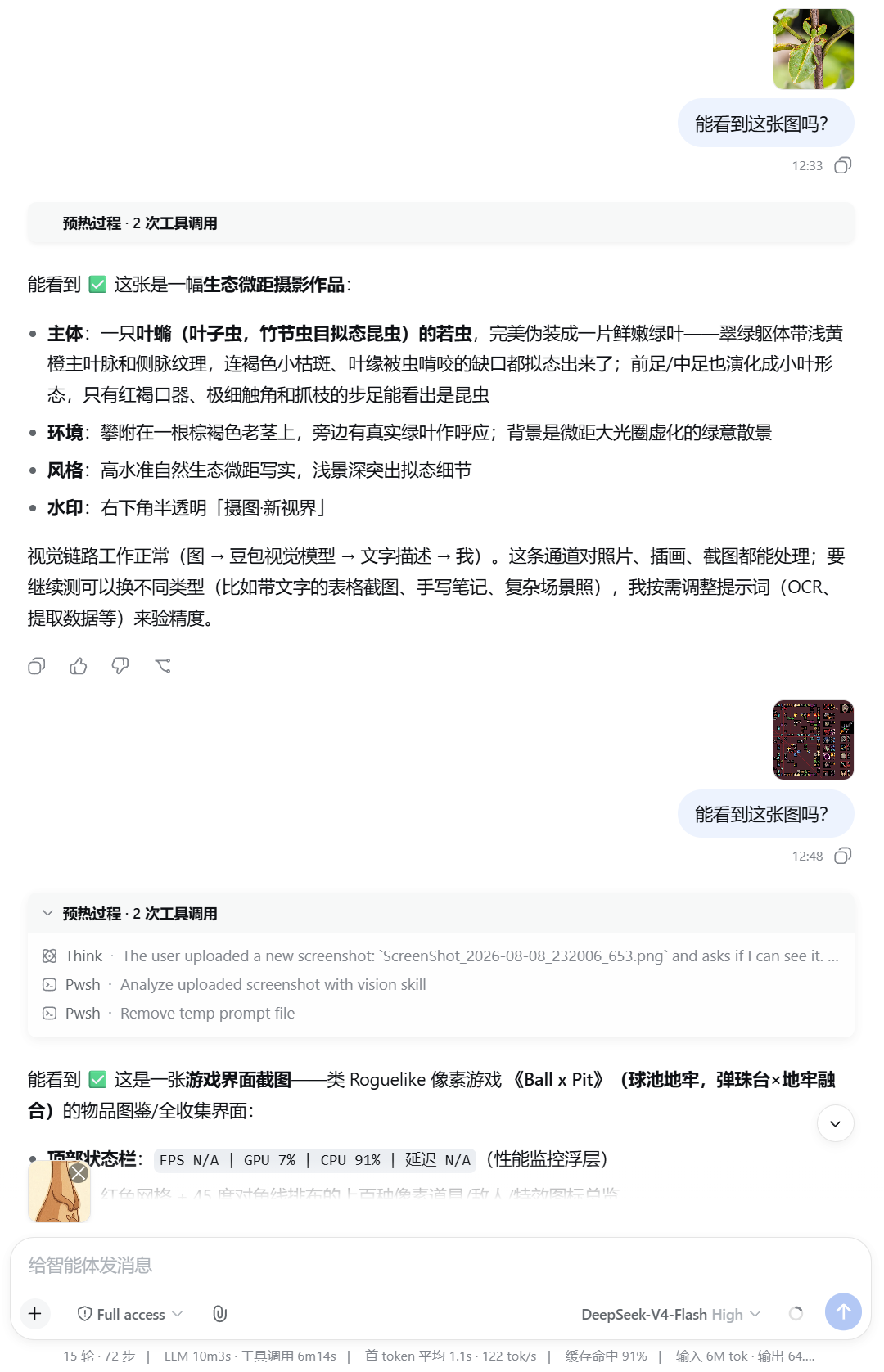
DSH web bundle: paste or pick files in the composer, store under {session.cwd}/inbox/, show thumbnails before/after send. Agents use list_inbox / read_inbox for text; image understanding requires your own vision skill or model (see below).
Requirements
- DeepSeek Harness with the web profile
- Node.js ≥ 22,
dshCLI
Install
dsh plugin --profile web add github:JarszmLovesAI/dsh_upload_file
dsh web
Remove: dsh plugin --profile web remove dsh-inbox-paste
Usage
- Paste (Ctrl+V / Cmd+V) or use the paperclip in the composer.
- Pending thumbnails appear above the input; remove with × before send (no disk write yet).
- On send, files land in
inbox/; the bubble can show thumbnails (see config). - Agent:
list_inbox→read_inboxfor text; for images, use the bundled image-reader skill or your own vision tooling.
Upload ≠ multimodal understanding
This plugin does not use Harness native image attachments. The main model only gets path markers unless you add vision:
- Install the optional image-reader skill and set
ARK_API_KEYin~/.dsh/.env, or - Bring your own vision MCP / skill / multimodal model.
Configuration
~/.dsh/profiles/web/cordis.patch.yml (adjust profile name):
- id: inbox-paste
  config:
    uploadMaxBytes: 26214400
    inboxDirName: inbox
    allowedExtensions: []
    customizeUserBubble: true   # false = built-in user bubble (may show raw paths)
Restart dsh web after changes.
vs dsh-file-upload
| dsh-inbox-paste | dsh-file-upload | |
|---|---|---|
| Paste | ✅ | ❌ |
| Storage | {cwd}/inbox/ |
{cwd}/.dsh-uploads/ |
| Built-in PDF | ❌ | ✅ |
Tests
npm test
License
MIT
安装
装一次目录插件,之后本站所有插件都能让 DeepSeek Harness 自动找、自动装:
dsh plugin add dshbase-catalog然后对 agent 说「帮我装 dsh_upload_file」,它会在目录里找到并自动安装。文档:dshbase-catalog · 已验证场景包。
该插件是 GitHub 源码(未发 npm)——直接从仓库装:
Web profile:
dsh plugin --profile web add github:JarszmLovesAI/dsh_upload_fileHeadless(CLI)profile:
dsh plugin --profile headless add github:JarszmLovesAI/dsh_upload_file实测报告
验证通过:从 GitHub 源码完成 L1 安装 + L2 加载 + L3 运行(dsh 0.1.0-rc.6)。
分享徽章
把这枚徽章粘进 README——它会链回本页,实测状态变化时自动更新:

[](https://dshbase.com/zh/plugins/dsh-upload-file/)<a href="https://dshbase.com/zh/plugins/dsh-upload-file/"><img src="https://dshbase.com/badges/dsh-upload-file.svg" alt="dshbase 实测可装"></a>